3 minute read

Aiarty Video Enhancer bundles three AI models for noisy, soft, and low-resolution footage. The Lifetime License is $129 for Black Friday, down from $235.
The standard advice for bad footage is to shoot it again, but that only goes so far and is not always possible. That does nothing for a wedding that only happened once, a decade of archive clips, or a client's low-resolution master that has to run on a 4K screen next week. Software repair is often the only option, and the sensible way to approach it is the way a medic would with any patient who comes through the ER doors: diagnose first, then pick the treatment.
Aiarty Video Enhancer is built around that idea of triage. It is a Windows and macOS application that bundles three AI models. Each is aimed at a different kind of damage, and frame interpolation, audio cleanup, and basic finishing tools round out the package.
Aiarty is running a Black Friday sale on its Lifetime License. The Lifetime License is a one-time purchase at $129, down from $235 (45% off). It covers up to three Windows PCs or three Macs, includes unlimited free updates, and comes with a 30-day money-back guarantee. Alternatively, a 1-Year License is available for $79 (regularly $99). You can choose the license plan based on personal demand.
Footage usually fails in one of five ways, and Aiarty's tools map onto these failures.
|
Footage problem |
Where Aiarty points you |
Typical material |
|
Noise and grain from high ISO or low light |
superVideo vHQ, plus the video denoising controls |
Receptions, indoor events, night streets |
|
Mild softness or general degradation |
Smooth-HQ v3 |
Handheld clips, slight focus misses, lens softness |
|
Lost texture in skin, hair, or foliage |
moDetail-HQ v3 |
Interviews, travel, and nature footage |
|
Too little resolution for a 4K timeline |
Upscaling to 4K, with the model matched to the content |
Older 1080p projects, archived DSLR clips |
|
Choppy motion |
Frame interpolation, up to 120 fps |
Sports, action, wildlife, slow-motion sources |
Different AI tools are trained in different ways and have different strengths and weaknesses. Aiarty offers three models: moDetail-HQ v3 is the detail specialist, Smooth-HQ v3 is the natural-looking general repair option, and superVideo vHQ is the heavy-duty choice for noisy, low-light, or badly degraded material.
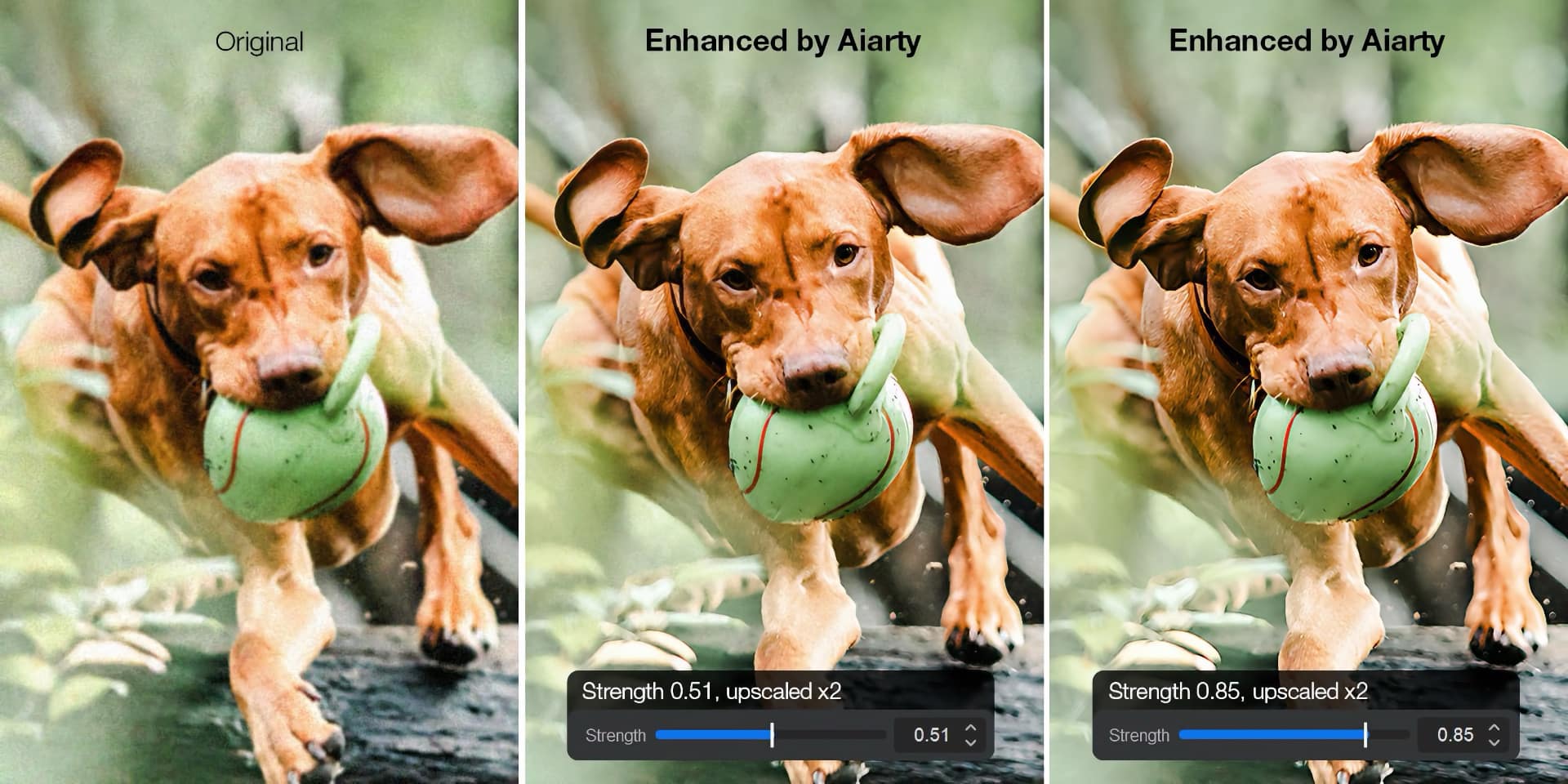 A strength slider sets how hard the AI works, so you can pull back if a result starts to look processed. The company says the aim is to avoid the over-smoothed, plastic look that aggressive noise reduction can produce. Aiarty's demo clips below show the effect.
Here are four brief demonstration videos covering the main repair jobs, showing what the software can do. Given that all this is possible with a $129 Lifetime License on the Black Friday deal, it's impressive stuff.
 Four extra tools sit alongside the main enhancement engine:
These are extremely useful tools that can save a round trip when a clip only needs a quick fix before it moves on to a grading suite or NLE. Get the $129 Lifetime License Black Friday deal while it lasts >>
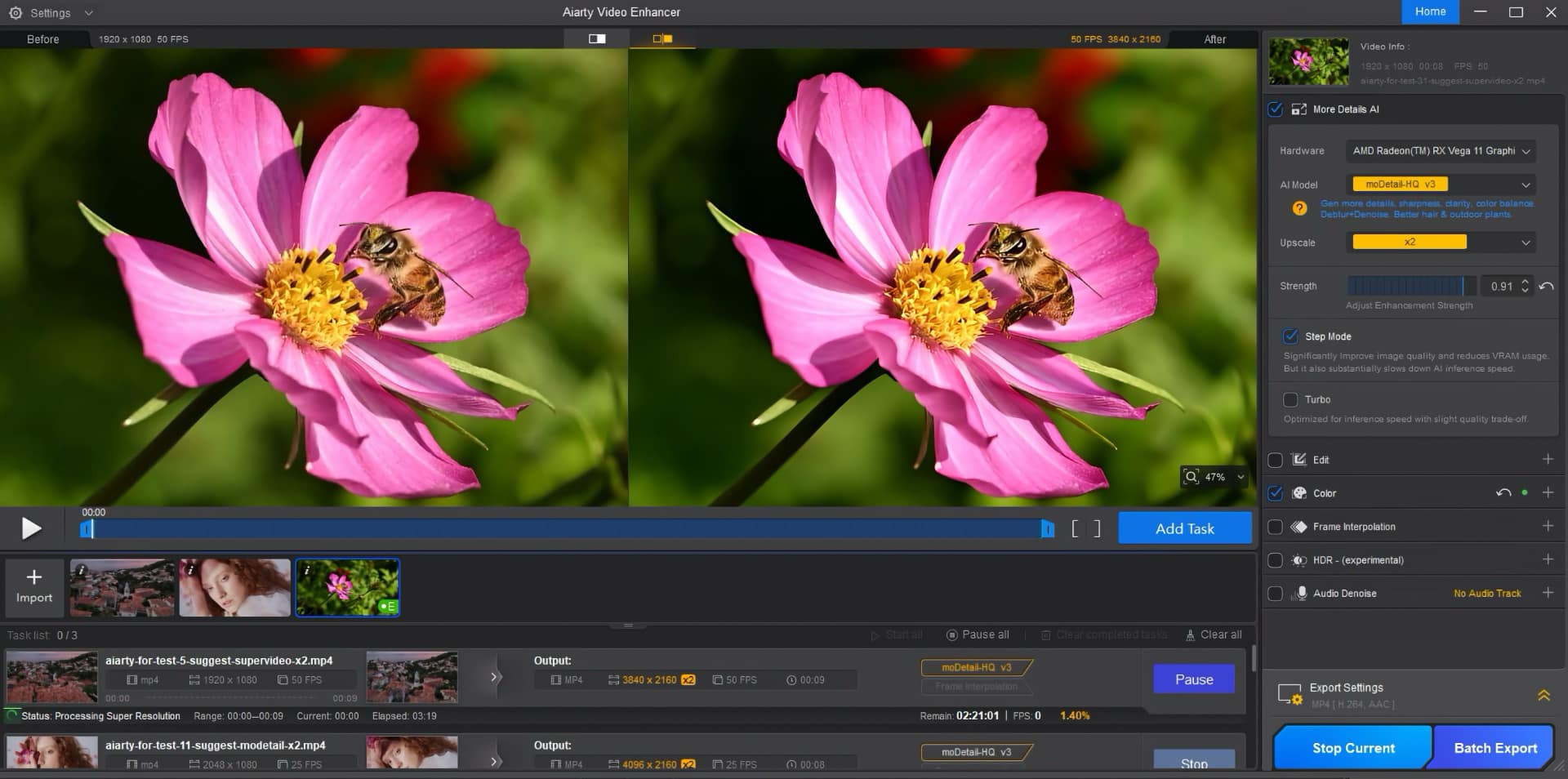
Footage is processed on your own computer rather than uploaded to cloud servers. This matters if you handle client material or unreleased work. The software uses GPU acceleration, with two modes to tune it. Turbo Mode prioritizes faster processing time, and Step Mode reduces VRAM requirements for machines with less graphics memory. Batch processing queues multiple clips, so a back catalog can run unattended.
The workflow is short: import clips, choose a model and settings, preview and adjust the strength, then export one clip or a whole batch. Defaults suit first-time users, and every parameter is adjustable.
AI repair can only work with what the source holds. Interpolated frames are generated rather than captured, and heavily damaged footage will give more variable results than a clip that is merely soft. Performance also depends on your hardware, which is the reason Turbo and Step Modes exist. Test a representative clip on your own machine, check the output at full size, and choose the model and strength from there.
 The Lifetime License is $129, down from $235 (45% off). The Lifetime License is a single payment that activates on up to three Windows PCs or three Macs, includes unlimited free updates, and comes with a 30-day money-back guarantee. The 1-Year License covers one computer and one year of updates and is $79, down from $99. Minimum requirements are Windows 10 (x64), version 1809 or later (1903 or later for GPU acceleration), or macOS 13.0 or later.
Aiarty's Image Enhancer for stills is also on sale, as we covered in October.
To return to the theme of medicine that we started here with the concept of triage, progress in this area has been astounding in recent years. Some clips can be saved nowadays that you would never have given the chance only a few years ago. If you have a clip that has been sitting on a drive because it never looked good enough, the Black Friday offer is the easiest route to finding out whether it can be restored to its former glory.
Tags: Post & VFX Sponsored Aiarty Video Enhancer


RedShark 2020 @ All rights reserved.

Comments