4 minute read

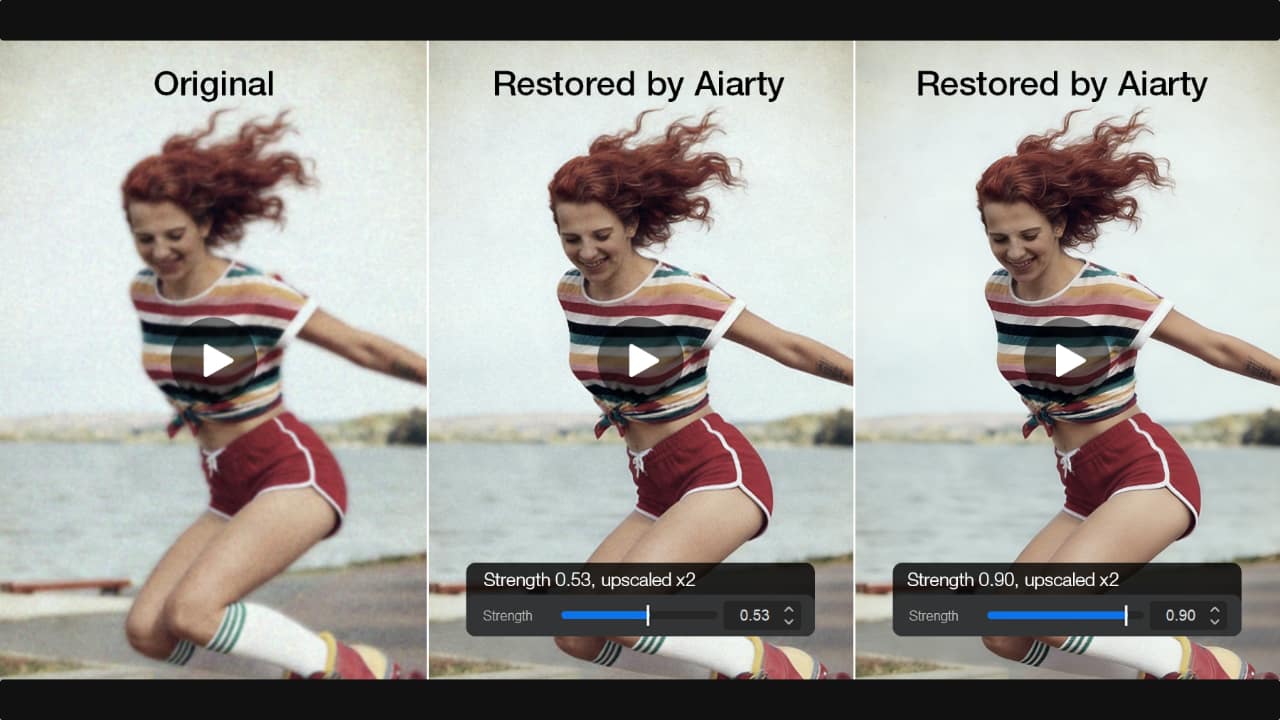
Aiarty Video Enhancer applies AI denoising, detail reconstruction, and 4K upscaling to legacy and low-resolution footage. All processing runs locally, with no cloud upload required.
Every video creator eventually encounters footage that still has value but no longer meets modern quality expectations. It might be an older drone shot, an archived clip, or smartphone footage that was never intended for a 4K timeline. In many cases, reshooting isn't an option.
As 4K delivery becomes the standard, bringing legacy and low-resolution footage into modern productions has become a growing challenge. This is where a new generation of AI video restoration tools like Aiarty Video Enhancer is beginning to reshape the workflow.
For creators looking to modernize that workflow, Aiarty Video Enhancer offers a cost-effective way to access AI-powered denoising, detail reconstruction, and upscaling to 4K for low-resolution footage. All processing runs locally on your computer, with no cloud upload required, ensuring faster workflow, enhanced privacy, and full offline control over your media. Now, it is currently available with 36% off its full license for up to 3 Windows or Mac computers, with lifetime free updates included and a one-time purchase model with no subscription fees.
For years, upscaling has been treated as a compromise rather than a solution. Most tools in editing software or plugins simply stretch pixels through interpolation or sharpening, estimating detail instead of rebuilding it. Manual denoising can also be time-consuming when working with large volumes of footage.
The result is predictable: footage becomes larger, but not better. Traditional upscaling often produces soft or blurry images, while fine texture is lost and noise reduction can leave material looking overly processed. For older footage, this makes integration into modern projects difficult without additional VFX or cleanup work, increasing both time and cost.
In practical production terms, AI restoration is increasingly being handled as a pre-edit step rather than something applied inside the timeline. Instead of opening low-resolution footage directly in an NLE and trying to fix issues with layered effects, many creators now prepare material first so that editing begins with cleaner, more usable source footage.
In this context, Aiarty Video Enhancer functions less as an editing tool and more as a dedicated preprocessing stage for problematic footage. Before clips reach the editing timeline, it can denoise video, reduce compression artifacts, restore soft details and increase resolution, resulting in cleaner material that is easier to grade and edit.
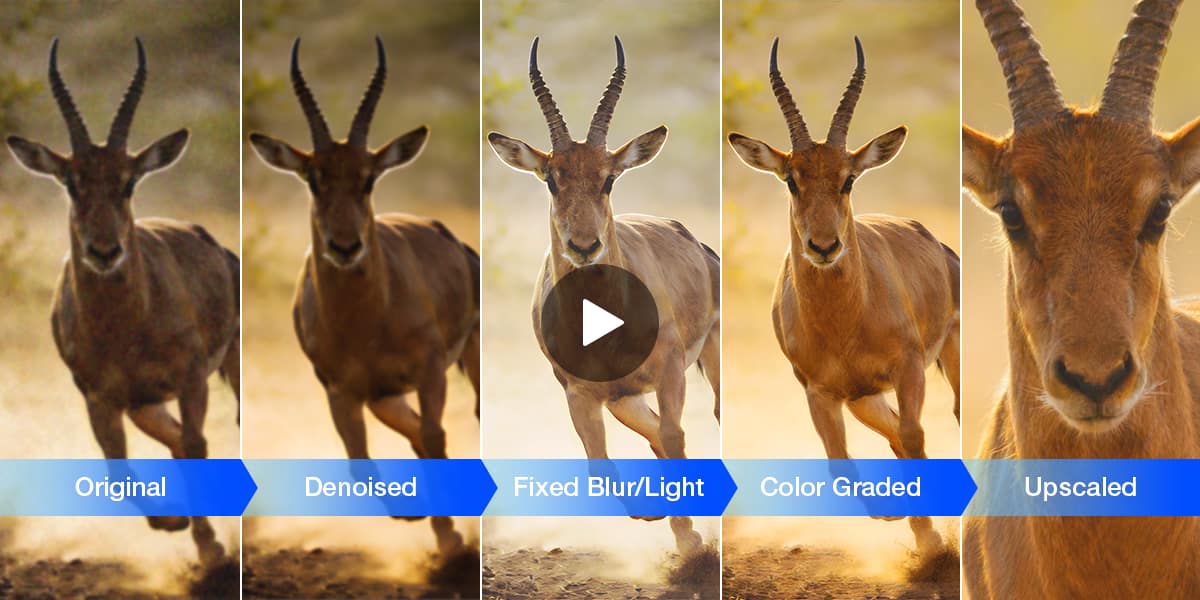 In practical use, this stage typically focuses on a small set of restoration tasks that sit upstream of the edit:
Rather than functioning as separate tools, these processes are applied as a single pre-edit stage, shifting restoration upstream of the creative workflow. Local processing also makes it better suited to fast-turnaround production environments and client-sensitive material.
The restoration process is designed to fit naturally into existing post-production workflows. Rather than relying on multiple plugins or manual cleanup steps, creators can prepare low-resolution, compressed, or noisy footage before it reaches the editing timeline, helping establish a cleaner starting point for grading and editing.
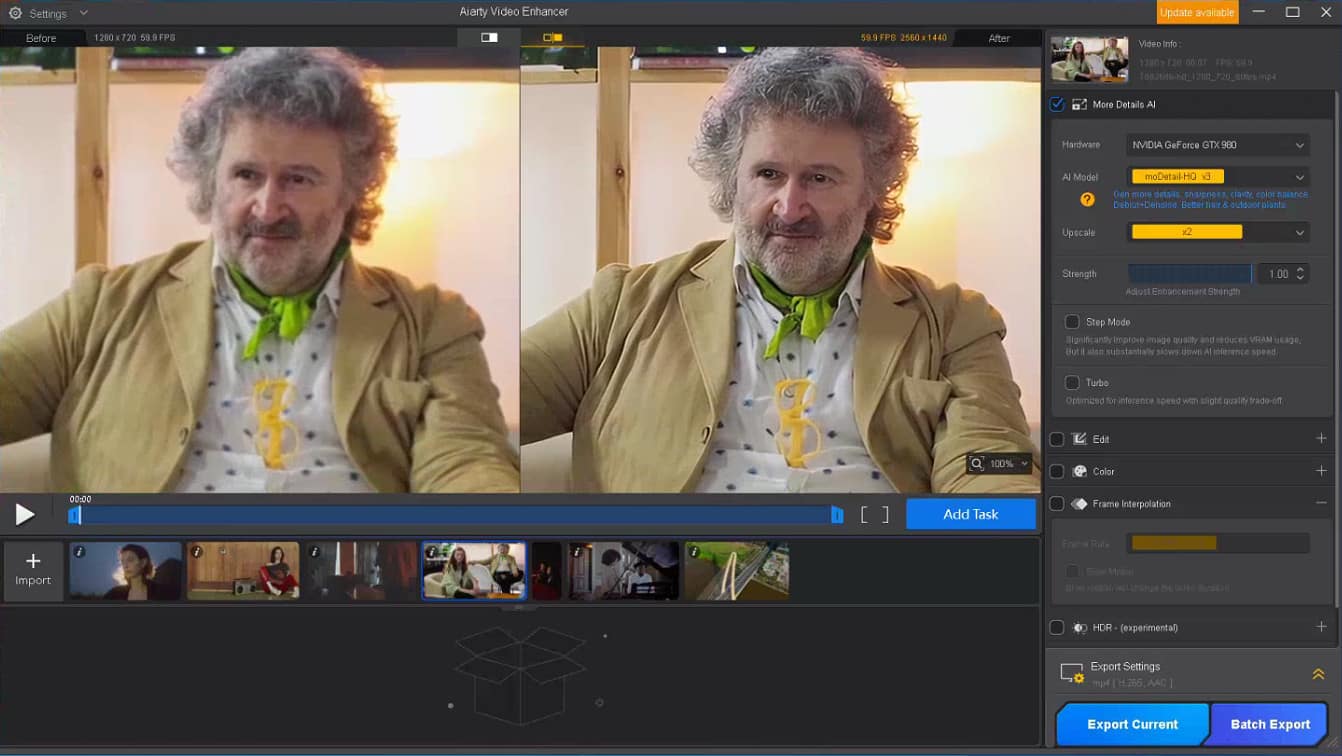
The process is straightforward:
The processed footage can then be brought into an NLE for the rest of the post-production pipeline.
AI enhancement isn't necessary for every project, but there are several production scenarios where it can significantly reduce manual cleanup and make older or compressed footage usable in modern workflows.
Documentary and archive productions often involve footage captured over long periods using different cameras and formats. Older clips tend to appear softer and less detailed when placed alongside modern material.
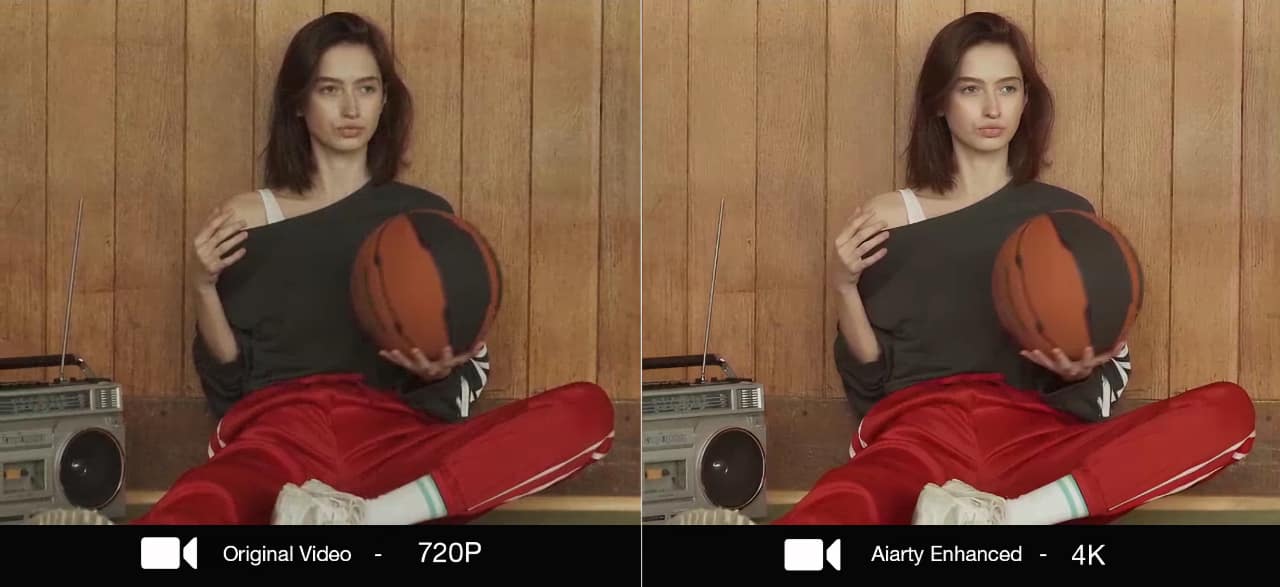 Test Footage: Original 720p archival footage of a woman sitting with a basketball
The original footage exhibits the typical limitations of older HD video, with soft facial features, limited texture, and insufficient detail for modern 4K delivery. Aiarty Video Enhancer helps make the footage clearer by recovering fine details, increasing perceived sharpness, and subtly improving color balance, enabling legacy footage to integrate seamlessly with native 4K content without looking overprocessed.
Commercial creators and online producers frequently revisit existing footage for new campaigns or repurposed content, where compression and early-generation codecs can limit visual quality despite strong underlying shots.
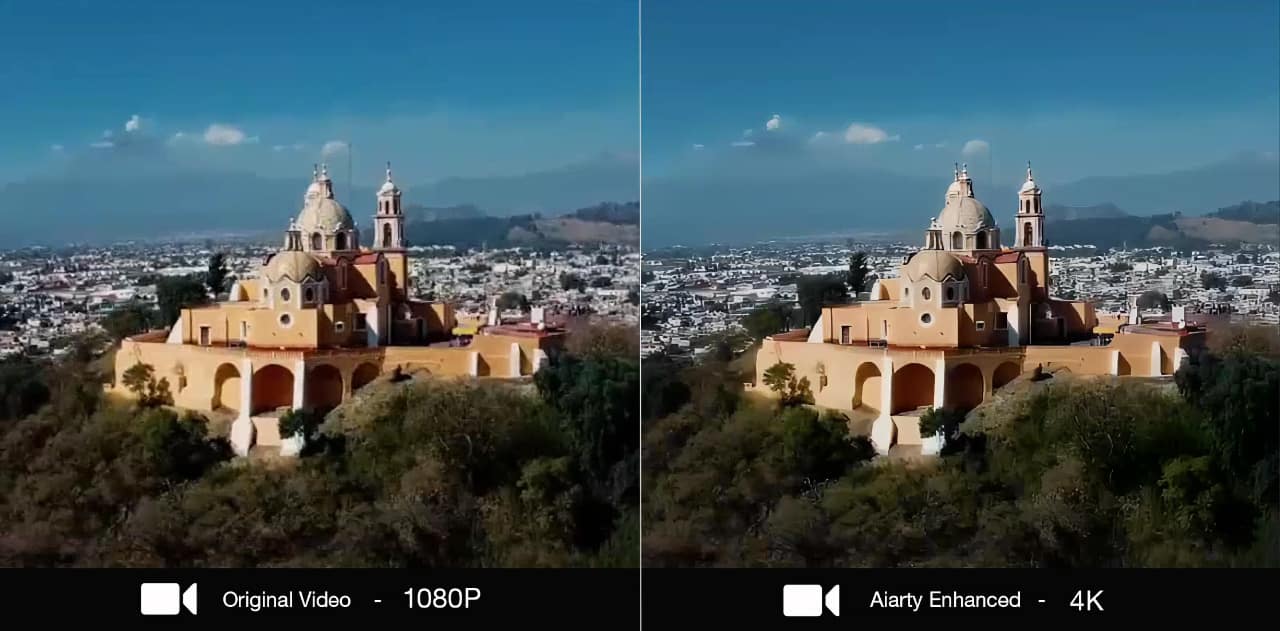 Test Footage: A web-compressed aerial footage of a historic landmark
Compression artifacts are visible in skies and fine textures, with softened distant detail. After processing in Aiarty, edges and surface detail are more stable, making the footage more suitable for editorial use and delivery.
Low-light and high-ISO footage remains one of the most common challenges in production, particularly in documentary and event work. Even when usable, image noise, reduced detail, and slight handheld softness become more noticeable once the footage is upscaled or placed into higher-resolution timelines, making subtle detail recovery increasingly important.
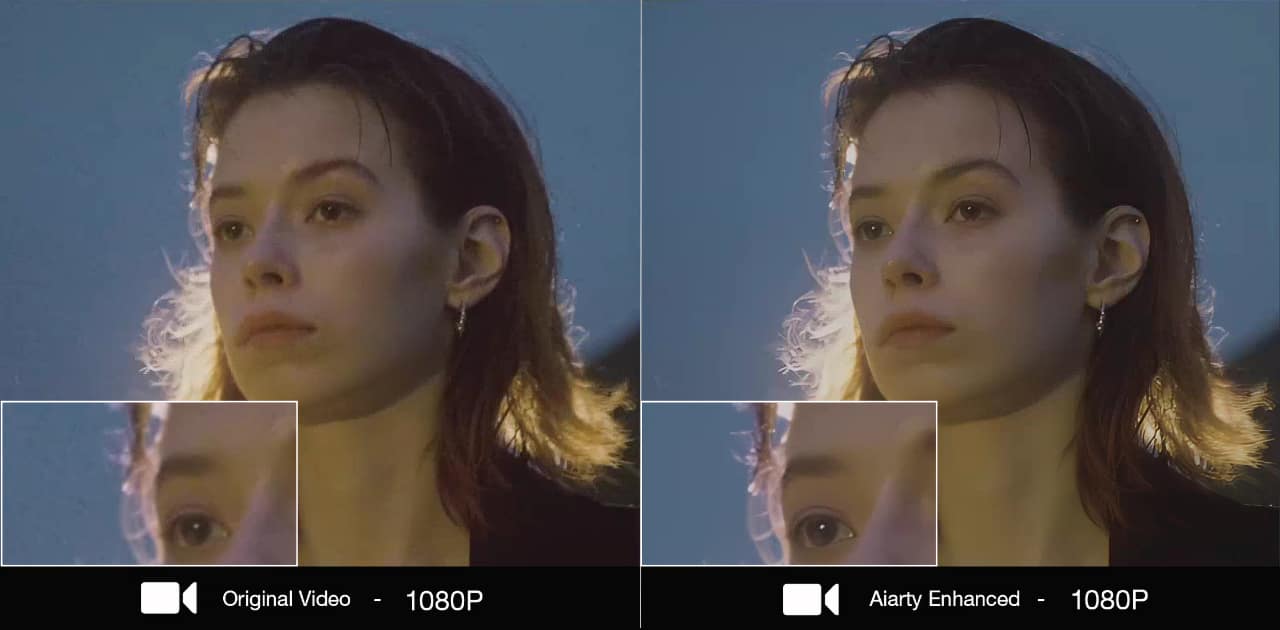 Test Footage: A 1080p low-light portrait with dramatic lighting
The original 1080p low-light footage contains visible shadow noise, soft facial detail, and limited subject separation. After AI enhancement, noise is reduced, facial features are better defined, and the image appears cleaner while maintaining a natural look.
Across these scenarios, the objective is not to artificially enhance the image, but to recover enough structural detail so the footage can sit naturally within a modern 4K production environment without drawing attention to its limitations.
AI restoration doesn’t turn bad footage into something it was never meant to be. It won’t fix motion blur or recover missing information, but it can make compressed, noisy, or slightly soft footage usable again in a modern 4K workflow.
As AI tools become part of the pre-edit stage, restoration is gradually shifting upstream in the workflow, helping editors start with cleaner material rather than spending time correcting it inside the timeline.
For creators looking to restore aging footage, upscale HD projects to 4K, or prepare compressed video for professional editing, Aiarty Video Enhancer offers a workflow-focused solution that integrates naturally with existing tools.
Explore Aiarty Video Enhancer with a 36% discount on the lifetime license. It’s a one-time purchase with no subscription fees and supports up to 3 Windows or Mac computers.
Tags: Post & VFX AI Restoration Aiarty Video Enhancer


RedShark 2020 @ All rights reserved.

Comments