
3 minute read
Advertisement
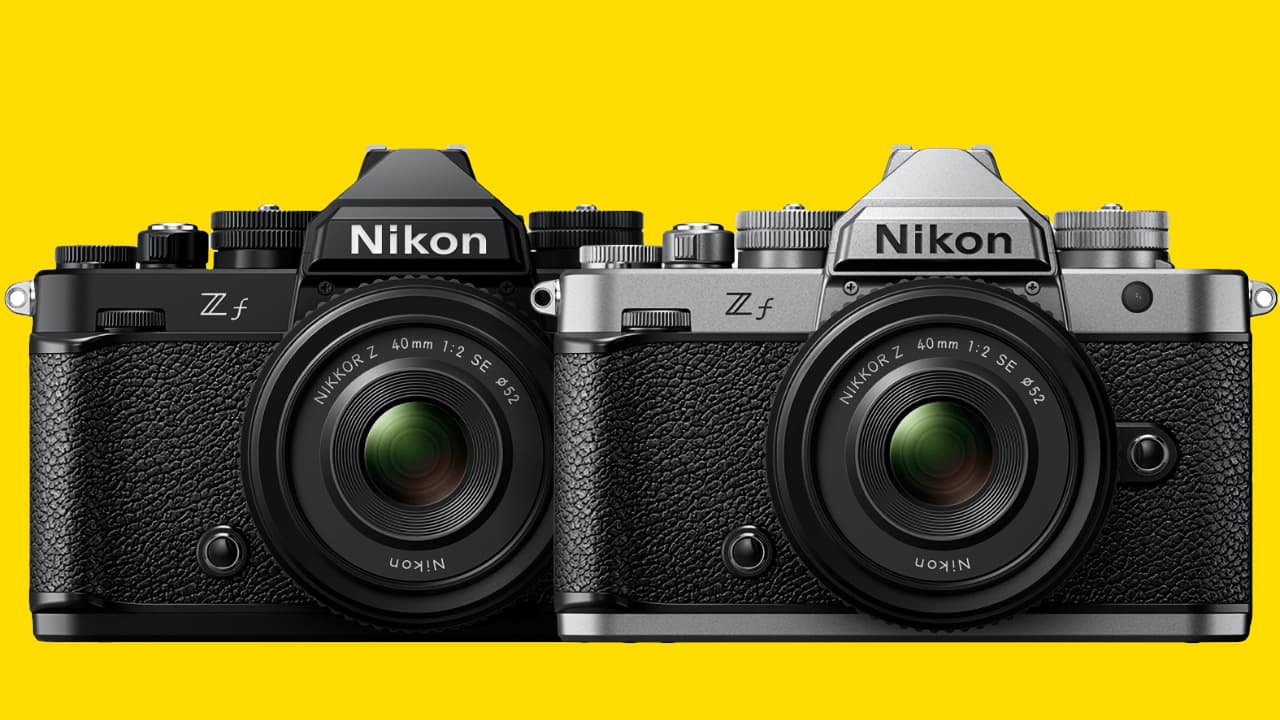
Nikon has just released v3.0 firmware for the popular Z f mirrorless hybrid, introducing some useful new features for both video and stills shooters.
Nikon's Z f camera is two years old now and Firmware 3.0 adds plenty of new features to its arresting mix of vintage exterior and future tech interior.
The headlines out of all that? The Film Grain feature lets you add the look and feel of analog film directly in-camera. Users can customize the grain’s size and intensity for photos and videos and pair it with Imaging Recipes from Nikon Imaging Cloud for a distinct, film-like aesthetic.
New Focus Peaking and Grid type options make it easier to fine-tune focus and composition, including 4:3 for still image and 9:16 for video grids for social-friendly framing.
The Z f can also now shoot in true vertical format. The camera's UI and recording format will rotate with the camera's orientation, with footage immediately played back correctly within your editing software.
You can also now connect your Z f directly to Nikon Imaging Cloud to automatically download and install firmware updates – no computer or memory card needed. Plus, simplified on-camera registration makes it easier to access new Imaging Recipes from Nikon Imaging Cloud.
Z f users can download the upgrade here. And here's the full list of everything in it.
Note: Due to the addition of new menu items, some Custom Settings menu items have been renumbered.
■ Still Photography
• Added [Film grain options] to the photo shooting menu. You can use it to take grainy pictures that simulate the look of traditional film photography.
• Added a [C15] high-speed frame capture + release mode option.
■ Video Recording
• Added [Film grain options] to the video recording menu. You can use it to take grainy videos that simulate the look of traditional film photography.
• Selecting [ON] for [Hi-Res Zoom] in the video recording menu now displays a focus point on the detected subject in the shooting display.
■ Playback
• The [Record camera orientation] item in the playback menu now has separate options for [Photos] and [Video]. The camera orientation for video recording and time-lapse video recording can also be saved.
■ Controls
• Added a [Maximum aperture Lv] item to the [CUSTOM SETTINGS MENU] in position of a13.
• Added a [Focus limiter setting] item to the [CUSTOM SETTINGS MENU] in position of a15.
• Added a [Minimum] option to Custom Setting c2 [Self-timer] > [Interval between shots] in the [CUSTOM SETTINGS MENU].
• Added assignable roles to the custom controls via the following items in the [CUSTOM SETTINGS MENU].
- f2 [Custom controls (shooting)]
- g2 [Custom controls]
• Exposure compensation and ISO sensitivity can now be assigned to the command dials in mode M using g2 [Custom controls] > [Command dials] > [Exposure setting] in the [CUSTOM SETTINGS MENU].
• Added [Automatic monitor display switch] to the [SETUP MENU].
• Contents of [Camera sounds] in the [SETUP MENU] have been changed. Now you can select whether the camera makes an electronic shutter sound during high-speed frame capture + or pixel shift shooting. The electronic shutter sound volume can also be adjusted.
■ Displays
• Added an [Only during zoom] option to a12 [Focus peaking] in the [CUSTOM SETTINGS MENU].
• Added a framing grid option of 4:3 to d16 [Grid type] in the [CUSTOM SETTINGS MENU].
• Added a framing grid option of 9:16 to g14 [Grid type] in the [CUSTOM SETTINGS MENU].
■ Network
• Added [USB streaming (UVC/UAC)] to [USB] in the [NETWORK MENU].
• Changed some messages and the default values related to Nikon Imaging Cloud.
• A new method for adding Picture Controls from Nikon Imaging Cloud is now available.
• Added [Wi-Fi connection (STA mode)] which allows you to connect the camera to the smart device via a wireless LAN access point.
■ Other Changes
• [Pixel shift shooting] options can now be set when the self-timer mode is selected.
• Pre-Release Capture is now available from compatible Bluetooth remote controllers.
• Aperture is no longer restricted when recording videos in mode S (Shutter-priority auto).
• The tonal characteristics have been changed when [ON] is selected for Custom Setting g13 [View assist] in the [CUSTOM SETTINGS MENU].
• The headphone volume level can now be adjusted in the “i” menu during video recording.
• Voice memo recording is now available with external microphones.
• Changed the specifications for uninterrupted video output to HDMI devices such as external monitors when recording ended.
• Fixed the following issues:
- The camera displayed the message “The shutter is closed. To start shooting, press the shutter-release button.” in rare circumstances, when single frame shooting was repeated with the monitor closed.
- The [Maximum aperture] values set for [Lens number] at positions 18 and 19 in the non-CPU lens data feature were not correctly applied when shooting.
Tags: Production Cameras Firmware Nikon Z f

Written by RedShark News Staff
Advertisement
Advertisement
Advertisement
Advertisement
Advertisement
RedShark is a multiplatform online publication for anyone with an interest in moving image technology and craft. With over 50 contributors worldwide, full-time developers, editorial, sales and marketing staff, it is the go-to site for informed opinion and know-how for the quickly changing video, film and content creation industries.

RedShark 2020 @ All rights reserved.

Comments