8 minute read

The Luna Ultra is Insta360's first foray into compact gimbal cameras and it's been a hotly anticipated camera since it was first teased last year. With a new 10-bit recording system and up to 12x zoom, the stakes are high with DJI's own dual-lens camera, the Pocket 4P, hot on its heels. So, is the Luna Ultra worthy of the hype?
The Luna Ultra is Insta360's first compact gimbal-based camera. It’s also the first time that Insta360 has incorporated a 10-bit color recording system into one of its devices. It's always held off in the past because it's always claimed that its user base isn't going to make use of that. But as more YouTubers and professional content creators are using its cameras, they've been demanding that the 10-bit system is implemented in order to catch up with competitors.
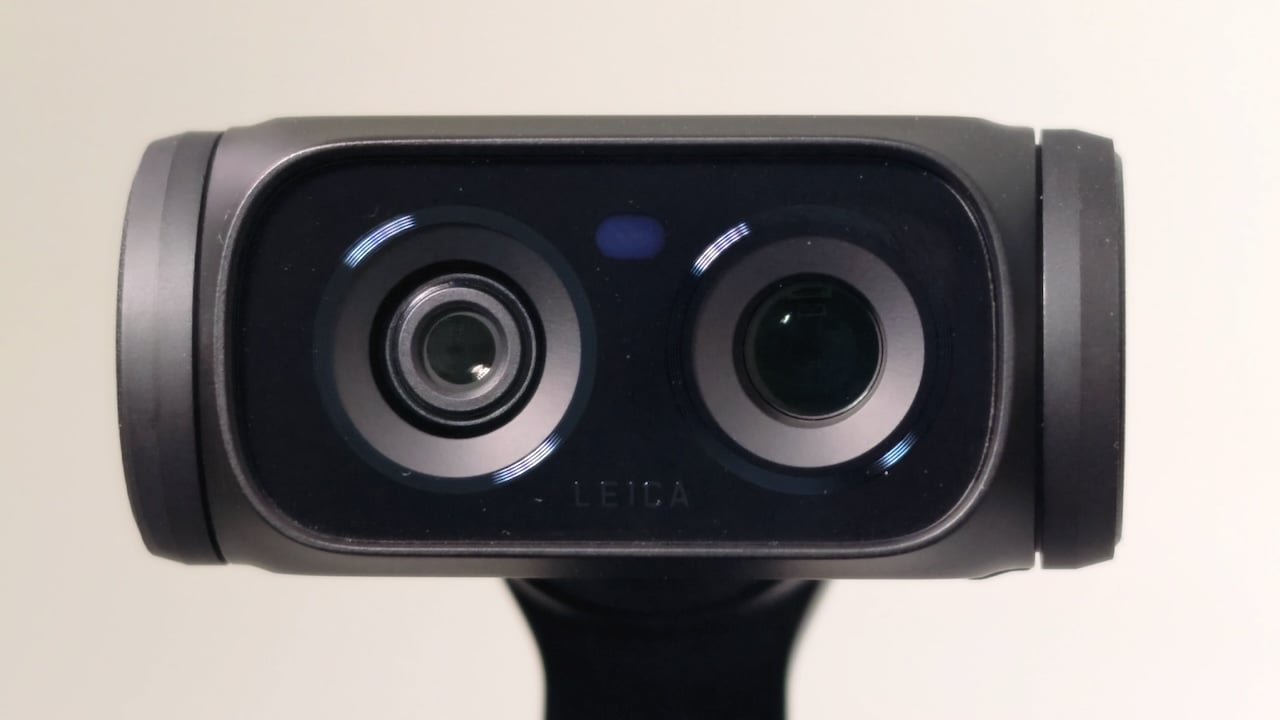
The Luna Ultra features two cameras. One of them uses a one-inch type sensor and that goes from a 1x zoom to a 2x “lossless zoom”. It achieves this by cropping in on the 8K sensor, and the same goes for the second lens, except that uses a smaller 1/1.3-inch sensor, which goes from 3x up to a 6x zoom. You can go up to a 12x, but that's cropping in even more on the sensor and you do get a loss of quality. How apparent that loss is depends on the subject matter that you're filming.
You can record 8K at up to 30 fps, and there's also an “open gate” mode which is 1x1, although the resolution drops to 3K. FOV-wise, you do lose a little bit of width but you gain height so you can crop for different social media aspect ratios in one format without making the composition look too cramped.
Slow motion goes up to 120 fps in 4K, which includes the 10-bit iLog picture profile. Speaking of iLog, Insta360 claims that the camera can record up to 14-stop dynamic range. My understanding is that the new sensor(s) on the Luna Ultra possibly use a quad Bayer arrangement, similar to the Mission 1 Pro, though it’s not clear if that dynamic range applies to both chips.
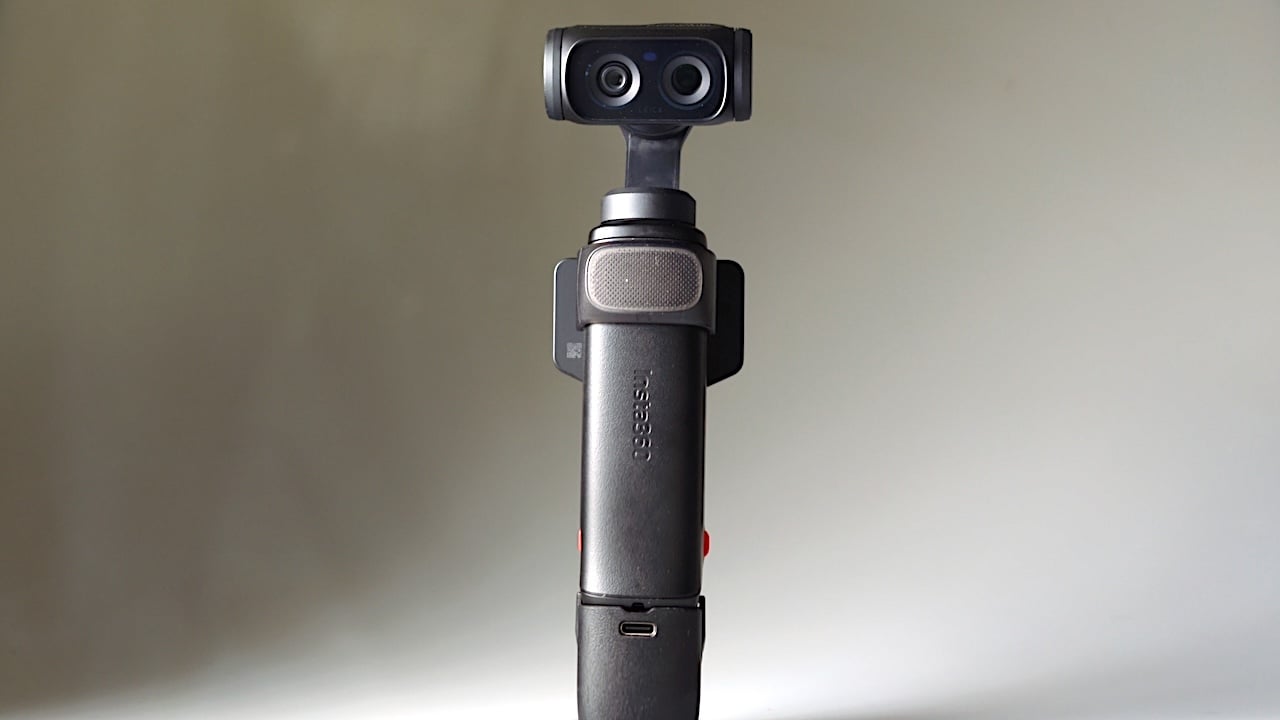
There's a detachable control system which contains the integrated LCD. This is a unique feature of the Luna Ultra and it makes self-shooting a breeze. Lastly, there's 47 GB of built-in storage, which is great if you’re as forgetful as me!
The Luna Ultra is a little bit heavier than other cameras like the Pocket 3. It's not hugely so, but the extra weight is noticeable. It's still a very portable camera, it's very easy to carry around, and it's a lot lighter than taking a mirrorless camera around with multiple lenses.
Because there’s that detachable LCD and control system, there are now two batteries to charge. One battery is in the main camera body itself and then there’s another battery in the control module. If you want to ensure the longest battery life, you need to make sure that both of these are charged up, not just the one inside the camera body.
There's also a little built-in tripod in the detachable bases of the camera. This is pretty handy when you need some sort of support in a pinch. It's not the sturdiest system, but in an emergency when you just need some way of stabilizing the camera on a surface it's a neat feature to have built into it.
The user interface, as per all Insta360 cameras, is really clear. It's fast and responsive, but they've gone the extra mile with the Luna Ultra. When you go into the menus, there's a very clear graphic, an animated video in some instances, showing you exactly what the mode you're selecting does. This is great visual feedback, particularly if you're not that technically minded.
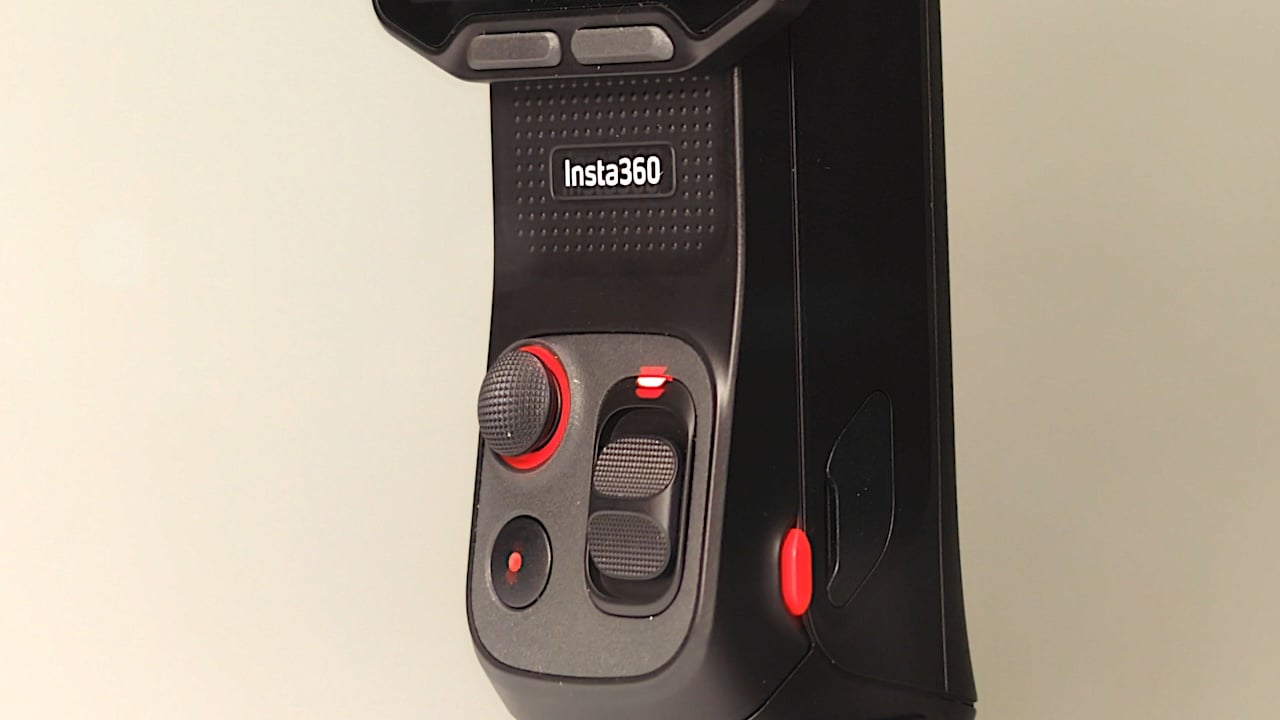
There are two custom buttons just below the LCD, and these can be set up for a few different functions such as going into selfie mode or activating the zoom functions on the camera. They can each have two functions assigned to them via either a single or double press. On the Pocket 4, you only have one custom button that can do multiple functions itself, but with the Luna Ultra you've got four functions in total.
The zoom functionality on the Luna Ultra is one of the things that interests me most about this camera. At up to 2x zoom, the camera uses the 1-inch sensor. Then the 1/1.3-inch sensor kicks in at 3x, giving you an optical 3x telephoto. 6x again crops in on the 8K sensor, giving you a secondary “lossless” zoom.
The TL;DR is that up to 6x zoom you're not losing any quality at all. If you go beyond 6x, that's when it has to crop in even more onto the sensor and you do notice the loss of quality in some instances. I found that busier images seems to be where the loss of quality is more apparent. So, your mileage beyond 6x will vary, but the fact that you can go to a 6x zoom and not have any loss of quality really is a step forward for this genre of camera.
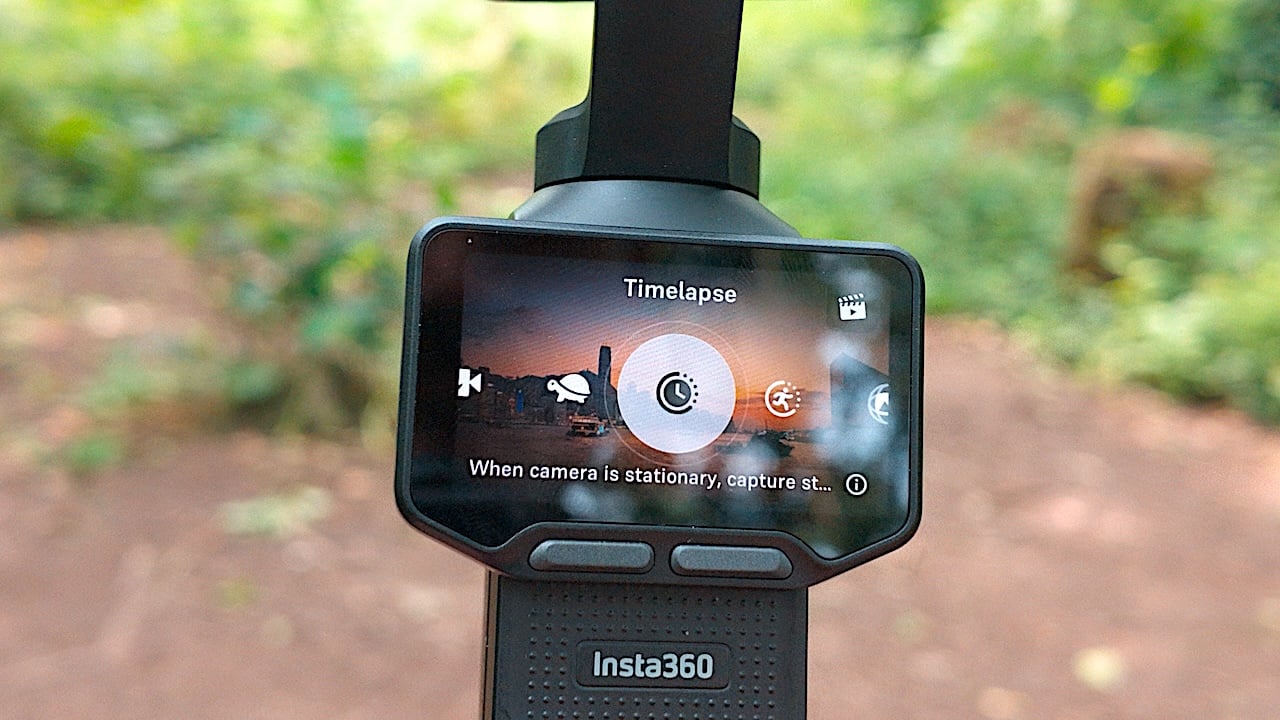
The zoom can be controlled in a few different ways: You can use one of the custom buttons, tap on the screen, or you can use the zoom slider. With the zoom slider, if you press it once it will go to set zoom lengths of 1x, 2x, 3x and so on. If you hold it down it will zoom smoothly through the range. It’s not totally smooth though, and I wouldn't be tempted to use this mid-shot.
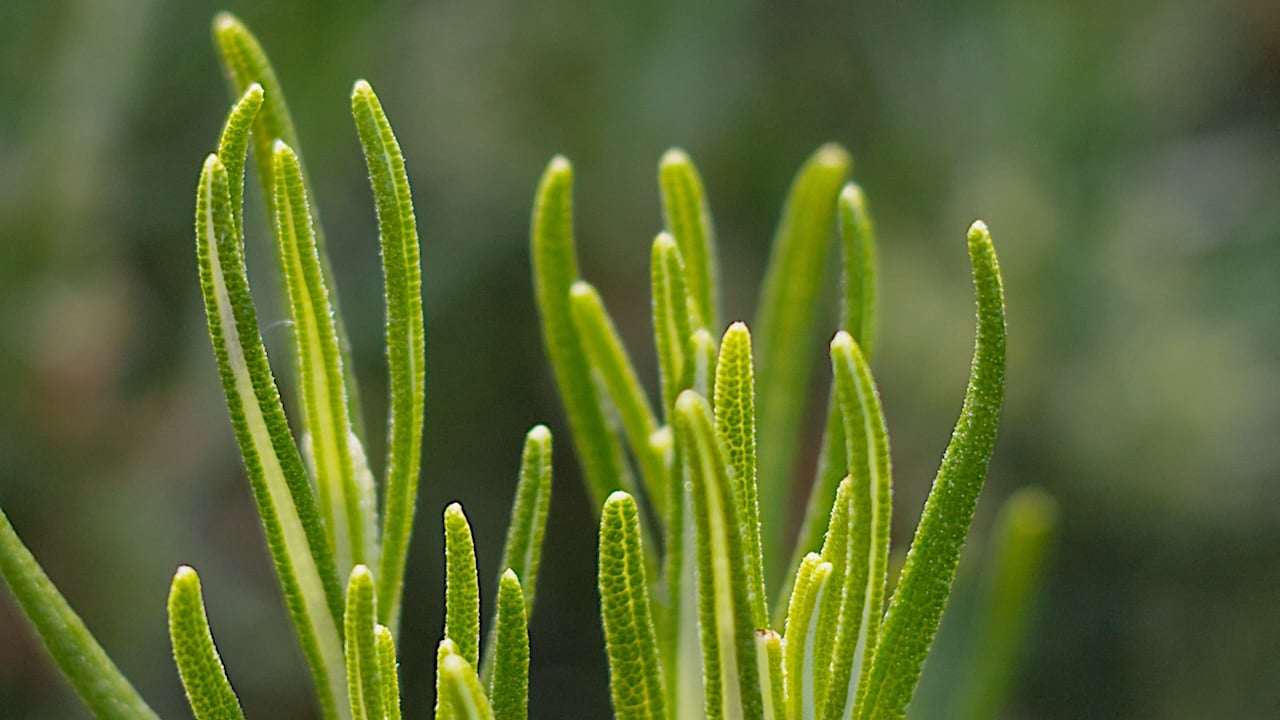
Another standout feature on the Luna Ultra is the close focus ability. If you set it up in the 6x zoom you can get incredible close-up macro shots. When shooting insects, it’s very close to a 1:1 macro ratio. Insta360 recommends using the 7x zoom for the macro, but I find that you have to use that slow zoom functionality by holding down the rocker and it's very difficult to get precisely a 7x zoom. I've been using it with the 6x and have achieved some incredibly good results with it. It’s also a lot of fun! Bear in mind, though, that at 120 fps the camera is limited to 1x and 3x lens ranges. In other words, the lossless zoom isn’t available.
The tracking capability of the Luna Ultra is very accurate, but just as with other similar cameras, even if you set the tracking to the fastest speed, it is still easy to lose it if you move too quickly. Dynamic framing is available, which allows you to place a tracked object into various compositions. I would like to see a bit more control over this. For example, you can set it up for a general rule-of-thirds framing, but I find that when it's locked onto a human face, if I select the top box there's still a bit too much headroom there for my liking.
There are limitations on how far the gimbal can rotate. As a result, you need to be careful of the orientation of the camera if you're doing follow shots. You will need to orient it so you've got the maximum amount of rotation for the shot at hand.
One of the coolest features about the Luna Ultra is the ability to detach the LCD, and along with it the control joystick as well. I can’t emphasize enough how much of a game-changer this is.
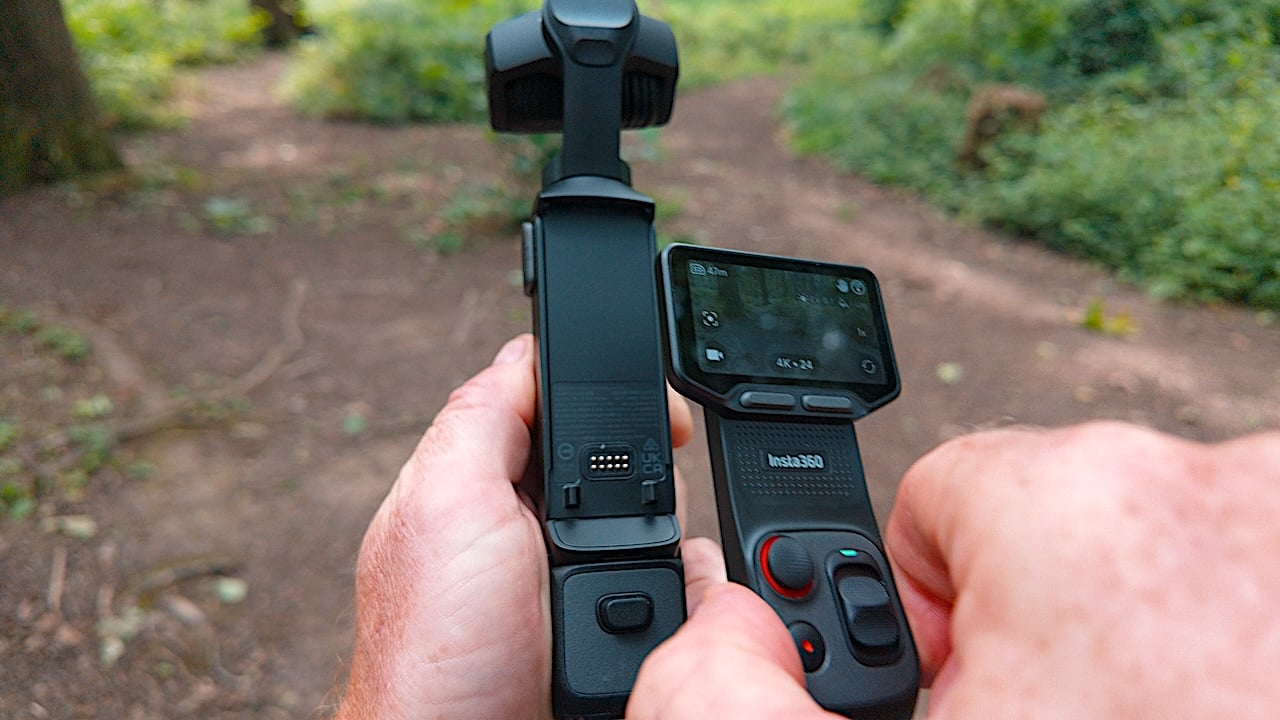
It allows you to control the camera remotely without the faff of connecting to a phone app. It also has its own microphone. You've got full control over your framing and picture settings right to hand, and the quality from the microphone on the LCD module is exceptionally good. It's super fast to be able to walk away from the camera and set up your framing and tracking remotely without having to rely on the gesture control.
Just one note about the joystick control: It's not very subtle. You can set the joystick speed to slow, medium and high, but it's on or off. There’s no way to subtly adjust the speed to get smooth tilt or panning shots with a smooth start and stops.
The Luna Ultra might not have the highest spec for slow motion, maxing out at 120 fps in 4K, and 240 fps in FHD. 120 fps is still pretty slow, and on a 24p timeline that is still a respectable slow-motion speed. You can still use all the tracking capabilities of the camera when you're in that 120 frames per second mode as well, although your telephoto ranges are restricted.
It’s important to point out that 24p on the Luna Ultra is true integer 24p, not 23.976p. This won’t be an issue if you're shooting your own video that's going out to social media and YouTube. The problem will come if you need to mix Luna Ultra footage in with other cameras that are shooting at 23.976p, or you have multiple deliverables. You will need to be careful on your editing timeline setup and make sure that you can conform the footage properly, otherwise you're going to have sound sync issues with your footage.
The Luna Ultra has two ways of using picture profiles. You can use them in the standard color profile and you can use them in conjunction with the iLog profile. Confused? The main difference between using them in the iLog mode versus the standard color profile mode is that you get less processing. The picture looks a lot more natural. In the standard color profile you can adjust your contrast level, but it's still a bit overly contrasty even when you set the Cine profiles to a lower intensity compared with using them in iLog.

You do lose the general advantage of iLog in terms of dynamic range because you are baking in the look. But, using them with iLog is a bit more flexible if you don't want to go through a full grading process and you just want a look straight out of the camera without looking too over-processed.
The Luna Ultra has multiple microphones, and it has one prominent front-facing microphone with a clip-on wind filter in front of it. Audio off the camera is very, very good, although it is confusing as to why only the front-facing mic has a physical wind filter, given that it’s facing away from you if you’re talking to camera.
If you have the Insta360 Mic Pro, it can be plugged into the back of the camera via the USB, giving you the ability to connect up to four microphones to it. But if you're using just the camera itself as the mic RX there's a maximum of two mics that can be connected to the Luna at any one time.
You can set the camera to record a separate unprocessed version of the audio. If you have the Mic Pro you can record a 32-bit float backup recording. This means you can have three versions of your audio. One that has the camera’s built in processing, an unprocessed camera recording, and a 32-bit float version on the Mic Pro.
Pure Video mode on the Luna Ultra is quite impressive. Unlike similar modes on other cameras, it doesn't look too processed. In fact, it's often quite hard to distinguish it from the other standard modes on the camera. There's lots of fine detail in textures, and there isn't any harsh edge enhancement or haloing going on either.
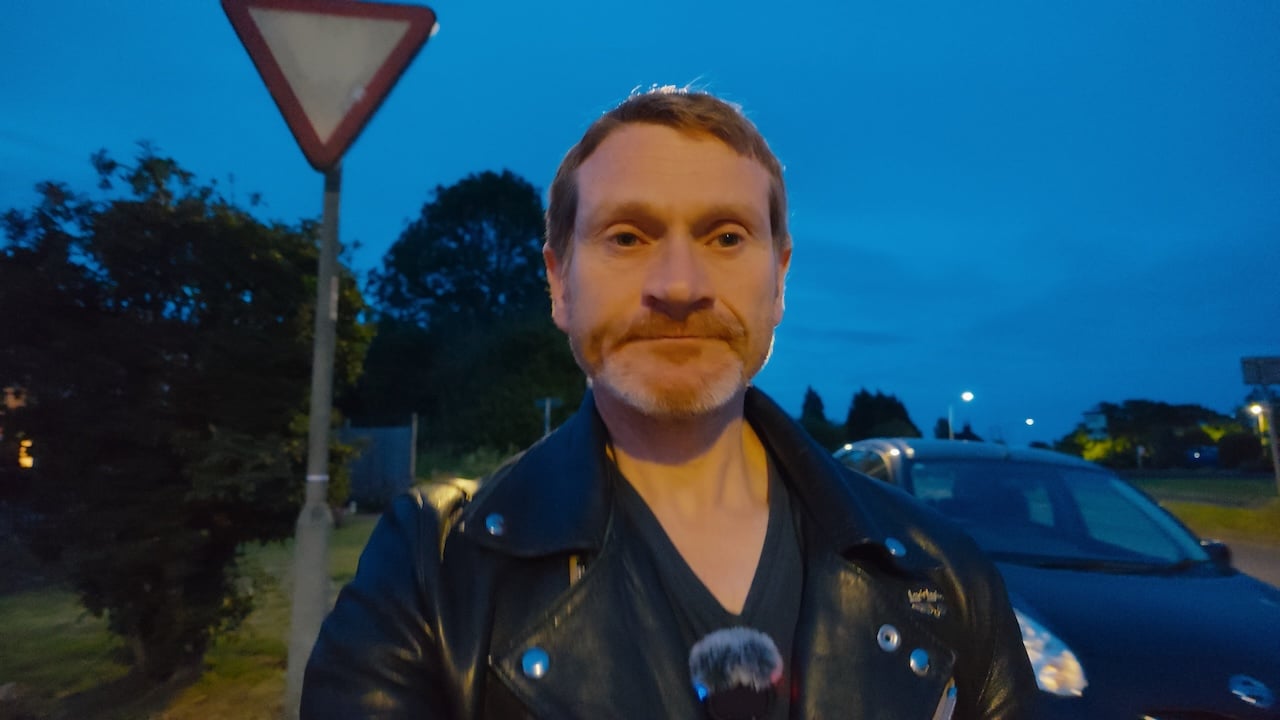
You can't use iLog with the Pure Video mode, however. But in the standard video mode, the Luna Ultra is still an impressive low light performer. In fact, I tested it in the same low light conditions that I tested the Pure Video mode in, and although it is slightly darker and a smidgen more noisy, it's still a clean image. So, even if you're shooting iLog and you don't want to use the Pure Video mode, the Luna Ultra still performs incredibly well in low light.
In general, I've been extremely impressed with the Luna Ultra. It's a considerable step up from previous Insta360 cameras. Particularly in iLog modes, the image quality is exceptionally good. Skin tones are really nicely reproduced, and overall it looks quite organic rather than digital.
With the 10-bit recording system iLog is really nice to grade, and there is a lot of latitude to play with. I was surprised at how easy it was to grade because iLog on the AcePro 2 was 8-bit, and it was very difficult to deal with.
The Luna Ultra is a different beast altogether. DaVinci Resolve now has iLog built into it, and iLog itself is ACES-compatible, so you can use it within a color-managed workflow.
To sum up, the Luna Ultra is, to my mind, a big step forward for Insta360. There's an ongoing legal situation with DJI that will hopefully resolve itself soon. But, for the camera itself this is a really well-done job by Insta360. I was surprised at just how good the image quality from it is. You can get really creative with it because you're not just limited to one look from a single lens.
The Luna Ultra is available now and is priced at $769 for the camera, going up to $969 for the Creator bundle, which includes a Mic Pro transmitter.
Download some original files from the camera to test them yourself.
Tags: Review Cameras Insta360 Insta360 Luna Ultra Gimbal Camera


RedShark 2020 @ All rights reserved.
Comments