
1 minute read
Advertisement
Adobe rolls out Frame.io updates ahead of NAB, bringing Workfront integration to existing customers, improved PDF rendering, and more intuitive zoom and pan controls.
Ahead of what we expect will be numerous updates unveiled at NAB, Adobe has rolled out a batch of new updates for Frame.io, covering Workfront integration, PDF handling, and zoom and pan controls.
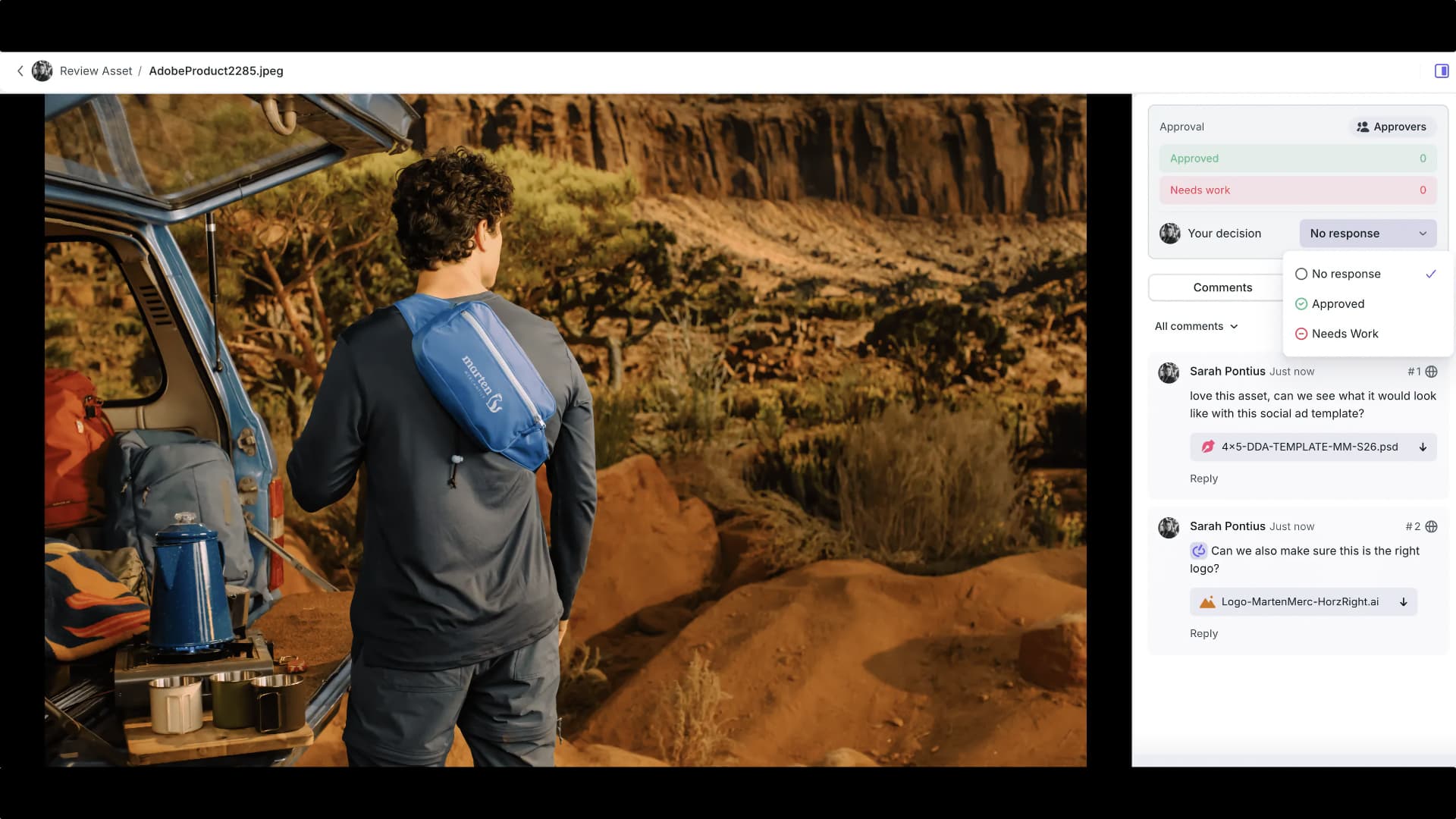
First announced at Adobe MAX 2024, Frame.io integration with Adobe’s Workfront project and work management platform for marketing and creative teams has been gradually rolling out ever since. Last year it reached new customers, and now it is available for existing ones, meaning that Frame.io is now the primary review surface inside Adobe Workfront, replacing legacy Proof workflows.
The integration connects planning, creation, and review in a single system, with multi-stage approvals supported end-to-end, shared work-in-progress storage across both platforms, and status sync between the two so decisions made in Frame.io are reflected in Workfront and vice versa.
For teams already using both products, the goal is to eliminate the context-switching that previously broke review workflows. This feature is available to Frame.io Enterprise and Workfront customers, with Adobe recommending that users contact their account team to get started ahead of any Workfront renewal.
Reviewers can now be invited directly within Share Builder rather than through a separate modal, bringing quicker access management to both public and secure shares and narrowing the divide between Quick Share and Share Builder.
PDF rendering has been overhauled, which you would rather expect given the Adobe co-ownership. Pages now render at actual zoom levels, page-to-page navigation is faster, text rendering is improved for non-Latin character sets including CJK languages, and ICC profile support improves color accuracy for PDFs with embedded color spaces. Text suggestion annotations have also been fixed for rotated pages, scaling, and comment positioning.
Finally, zoom and pan controls are now available via CMD + scroll wheel or pinch-to-zoom, with two-finger scrolling for panning. Smart focal points based on cursor or gesture position keep the view anchored while zooming. The changes apply across video, image, and document review.
All these features are live now. Frame.io plans start from free up to enterprise level, with $15 Pro and $25 Team per member monthly tiers also available. More info here.
Tags: Post & VFX Frame.io

Written by Andy Stout
Advertisement
Advertisement
Advertisement
Advertisement
Advertisement
RedShark is a multiplatform online publication for anyone with an interest in moving image technology and craft. With over 50 contributors worldwide, full-time developers, editorial, sales and marketing staff, it is the go-to site for informed opinion and know-how for the quickly changing video, film and content creation industries.

RedShark 2020 @ All rights reserved.

Comments