1 minute read

Elevate.io has added Color Wheels, Input LUT support for log footage, timeline In/Out points, and Quick Animations to its browser-based video editor.
Elevate.io has added four GPU-accelerated features to its browser-based video editor: Color Wheels, Input LUT support, timeline In/Out points, and Quick Animations. The idea, says the company, is that these will help you pull off high-end editing tasks on fairly low-end machines such as a Chromebook or MacBook Neo.
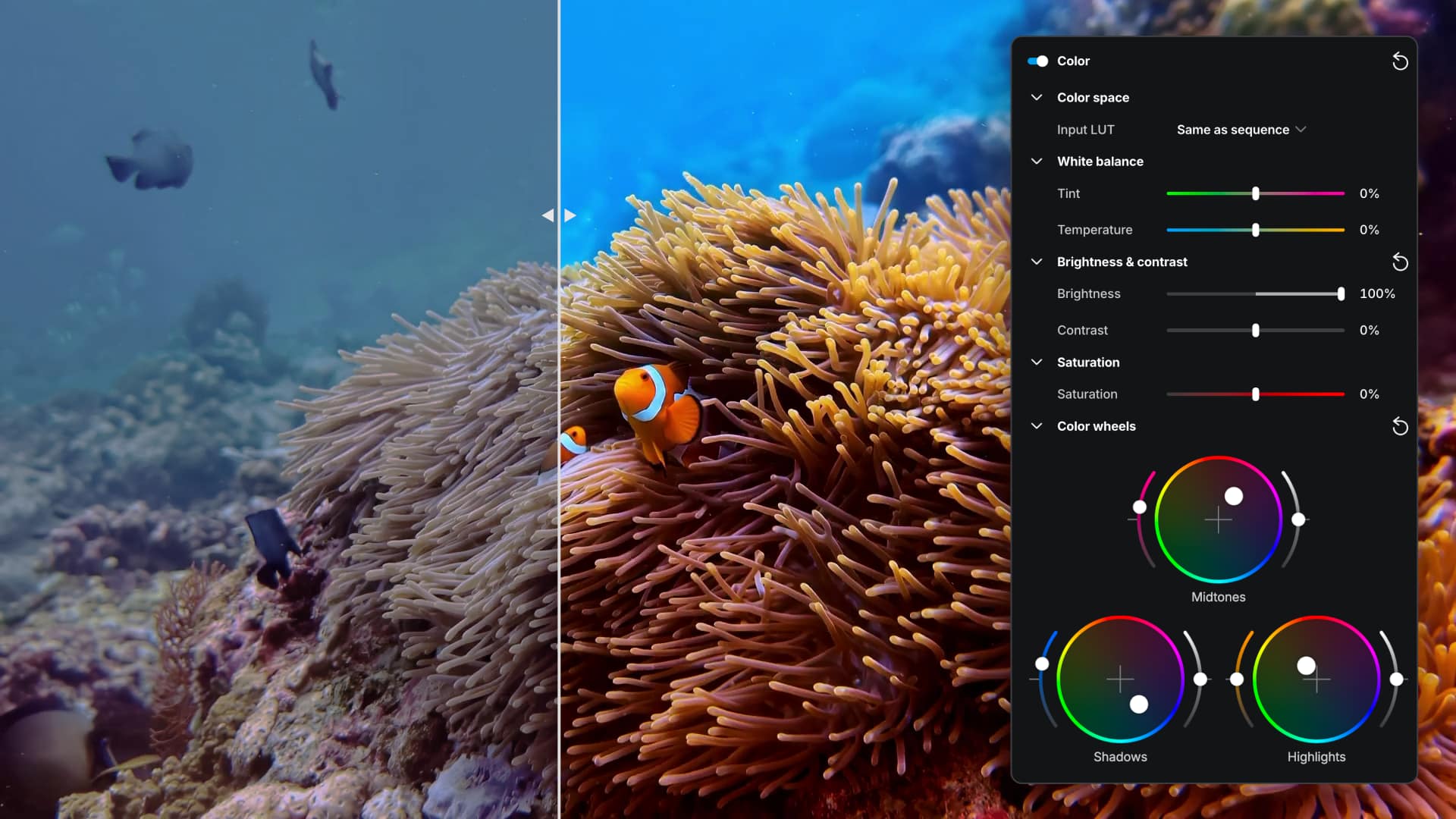
Color Wheels let editors adjust the color balance of shadows, midtones, and highlights independently, sitting alongside the existing brightness, contrast, saturation, and white balance controls. Typical use cases include correcting color casts, matching shots from different lighting conditions, and applying tonal stylization such as cooled shadows with neutral midtones.
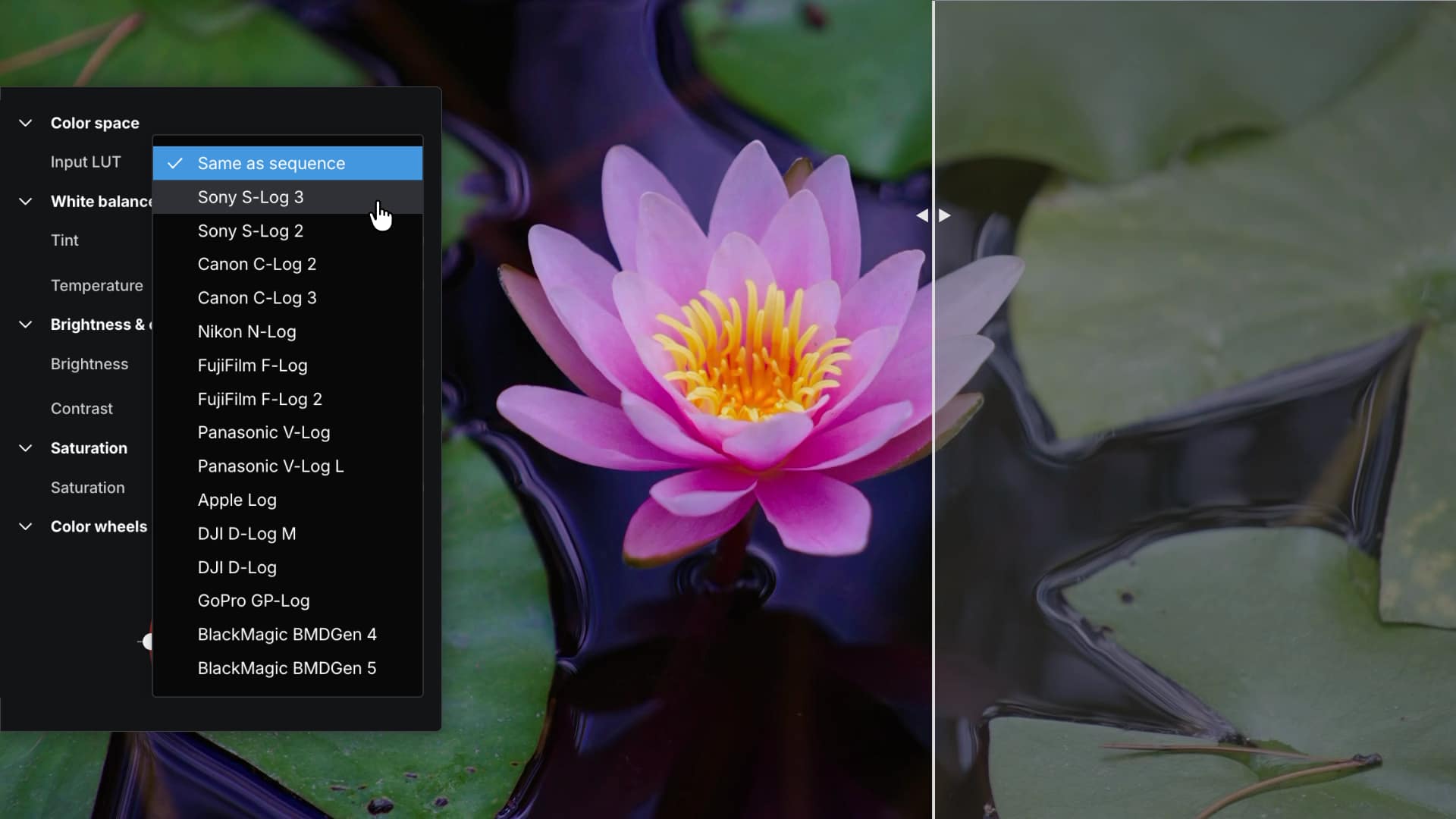 The Input LUT dropdown in elevate.io covers 15 log formats from Sony, Canon, Nikon, Fujifilm, Panasonic, Apple, DJI, GoPro, and Blackmagic
Input LUTs will handle footage shot in camera log formats, converting it to Rec.709 for editing and viewing. Supported formats include Canon C-Log, Sony S-Log, Panasonic V-Log, and more. This is aimed at users working with professional or prosumer cameras who currently have to correct the flat, washed-out look of log footage before any creative grading can begin.
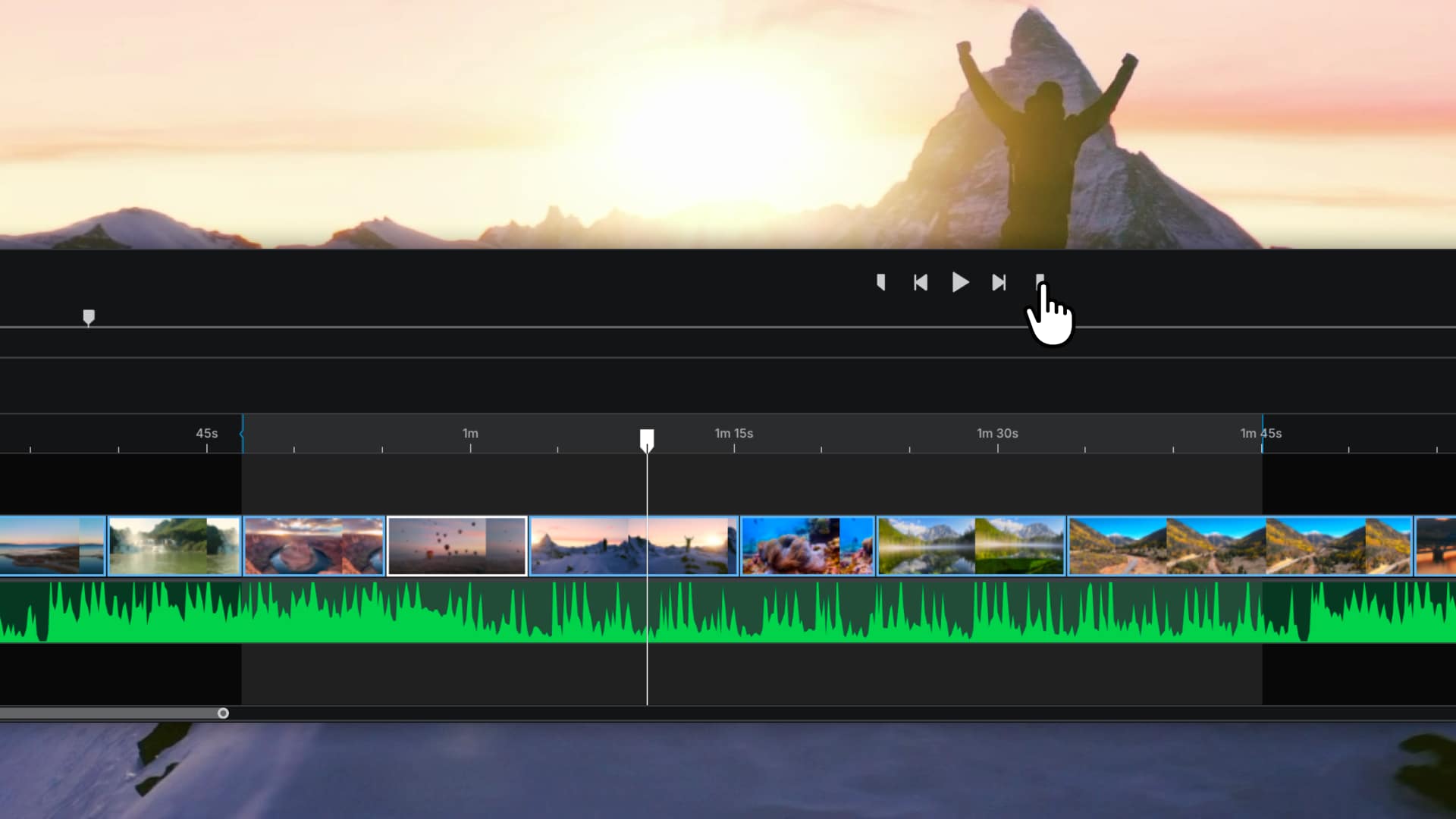 Timeline In/Out points in elevate.io let editors mark a specific range for export without rendering the full project
In and Out points on the timeline will allow editors to define a specific range for export rather than rendering the full project each time. The feature mirrors the existing In/Out workflow already available in the source footage preview window.
Quick Animations will add preset motion to clips, text, graphics, and logos without manual keyframing. Animations can be applied at the start or end of a clip, or run throughout its duration, and include adjustable easing options so movement can feel smooth, snappy or more natural depending on the look you're after.
The elevate.io online video editing platform is available in several tiers. Head here for details, but here's a quick summary.
Free: 2 editor seats, 5 GB cloud storage, 3x 720p exports per month, 100 tokens.
Creator — $10.00/month: 2 editor seats, 250 GB cloud storage, unlimited 4K exports, 100 tokens/month.
Pro — $30.00/month: 3 editor seats, 750 GB cloud storage, unlimited 4K exports, 500 tokens/month, pro video format uploads.
Business — $100.00/month: 5 editor seats, 2.5 TB cloud storage, unlimited 4K exports, 2000 tokens/month, pro video format uploads, premium support.
Tags: Post & VFX Editing elevate io


RedShark 2020 @ All rights reserved.

Comments