2 minute read

Adobe adds a Generative Media Tool that generates AI video and audio directly in Premiere's timeline. New audio tools, a Color Mode update and an After Effects AI Assistant land alongside Premiere's first Engineering Emmy.
Adobe has added a further set of AI-powered tools and upgrades to Premiere and After Effects. The update coincides with Premiere receiving an Engineering, Science & Technology Emmy Award for Outstanding Achievement at the 2026 Emmys, marking 35 years of the software.
Amidst a strong field of candidates, the headline addition is a new Generative Media Tool in Premiere, which generates video and sound effects directly in the timeline rather than editors having to be bounced out of it and break the flow. Users select a section of their timeline, describe what they need, and then the software uses reference frames from the surrounding project to generate output that fits in with the edit. Several models are available, including Adobe Firefly and partner models Google Veo, Kling, Runway and Luma. Results then become fully editable clips that can then be further refined without leaving the project.
The tool covers four areas, which will be familiar to anyone who has used Firefly tools recently. Generate Video fills gaps using reference frames sampled from the project to match surrounding footage. Generate Sound Effects, powered by Adobe's own audio model, lets editors use their voice to guide rhythm, timing and intensity. Generate Soundscape (beta) analyzes up to 15 seconds of video to generate layered ambience and effects as a starting point for further editing. Generate Music (beta) generates original tracks with multiple variations and controls for tempo and looping; Adobe says the output is commercially safe with synchronization rights across media types.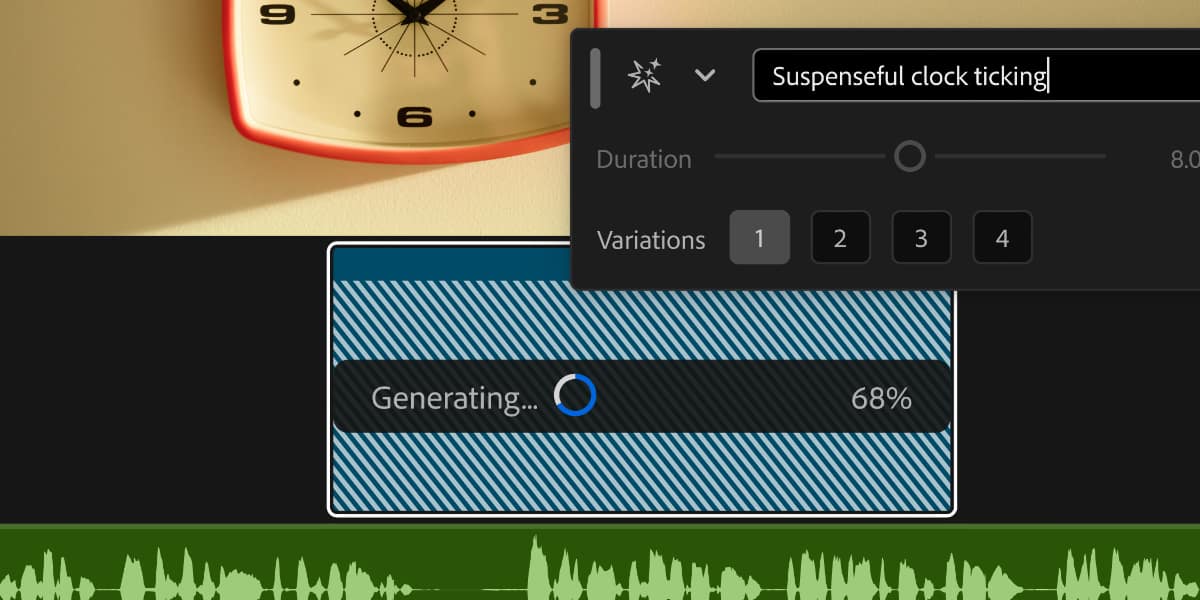
Premiere also gets new AI audio tools in public beta. Enhance Audio builds on the existing Enhance Speech feature with independent control over dialogue, music, ambience and sound effects in a single clip. Separate Crosstalk splits two overlapping speakers into independent tracks for separate mixing without re-recording. Dynamic Auto Ducking balances dialogue, music and other elements automatically, without manual keyframes, which could be a huge time-saver. A new speed algorithm produces natural-sounding duration changes across a wider range while preserving pitch and timbre.
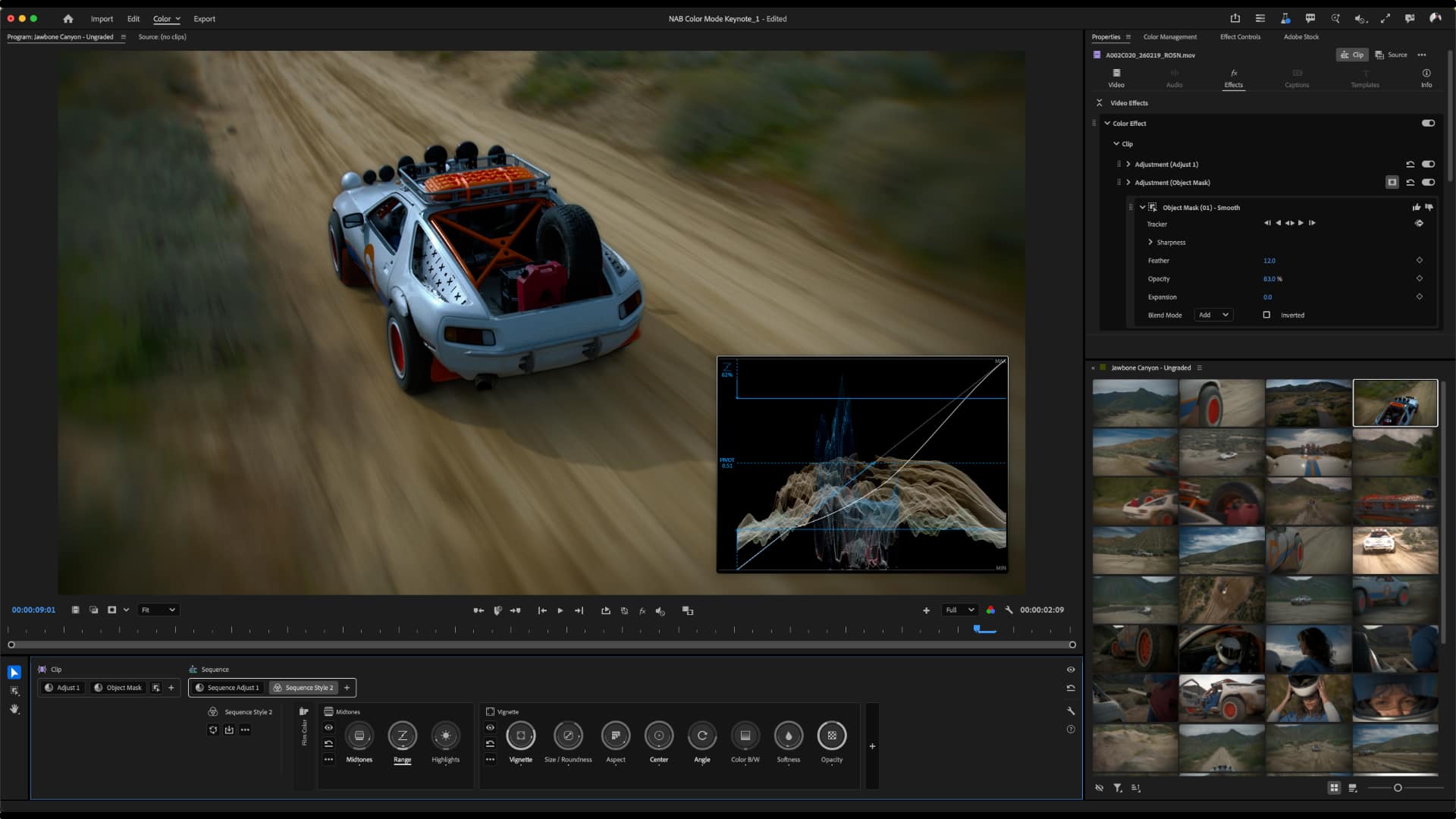
Color Mode in Premiere, which is still in beta, adds a decent raft of new features.
New Auto Color lets you balance exposure and color temperature at the clip, custom group, or sequence level, while a new Vignette Module lets you create vignettes with control over darkness, blur, chromatic aberration, and more. A Midtones Module provides a new way for video editors to gain fine-tuned control over midtones through curve editing, and finally you can now drag and drop masks from one adjustment to another, with better masking controls in the newly redesigned Properties Panel.
Talking of which, Adobe has redesigned the Properties and Effects panels for faster navigation, and Frame.io Mounted Storage is now available to all accounts, letting users stream full-resolution media onto the Premiere timeline directly from the cloud without manual downloads or local storage.
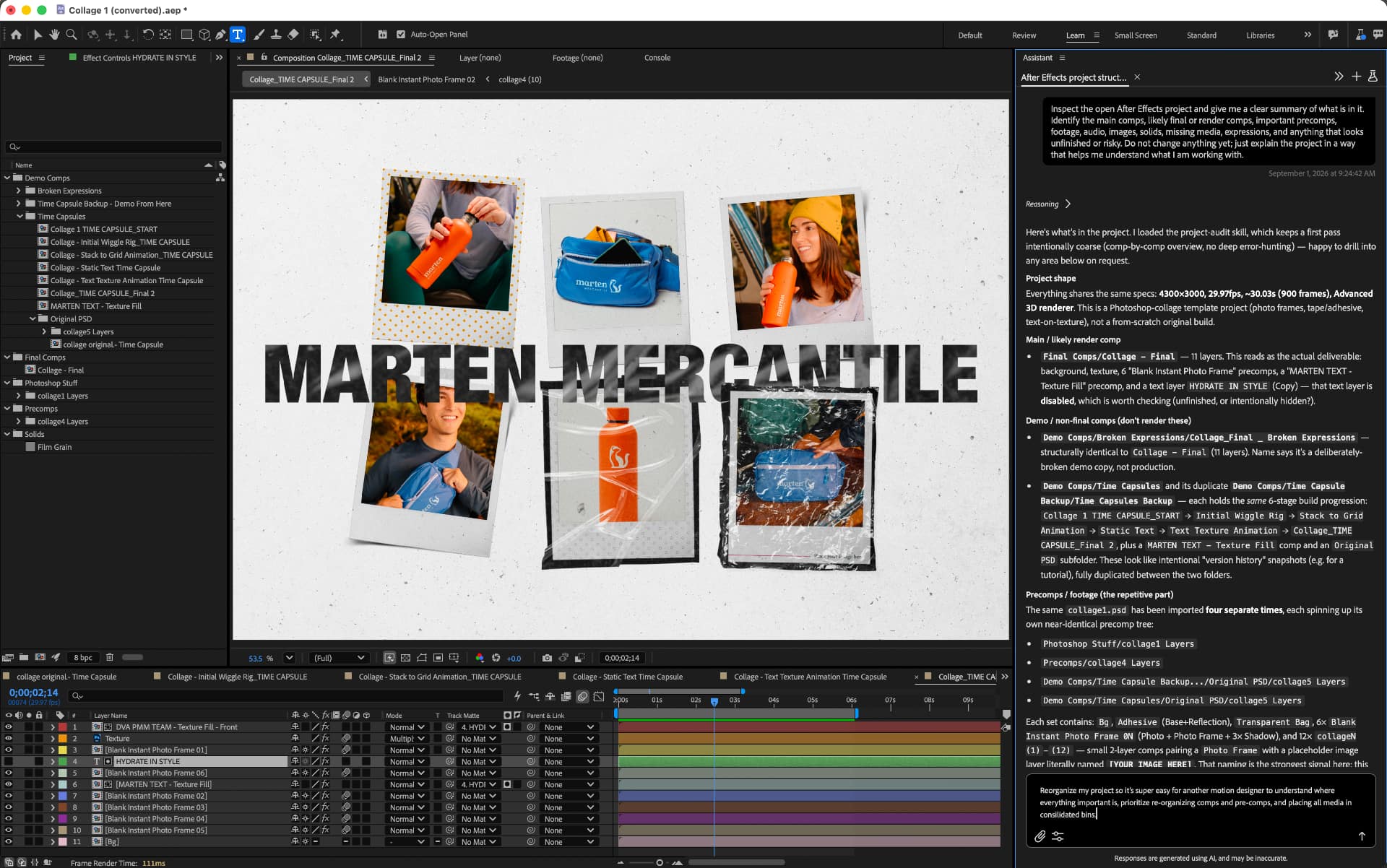 A quick check in on After Effects. Previously available in Premiere for tasks like asset organization, batch renaming and markers, AI Assistant is now in public beta in After Effects too. It works across an entire project rather than just the open composition, and can reorganize projects with thousands of layers, repair technical issues, build expressions without code, and inspect compositions and footage on request.
Tags: Post & VFX Adobe Adobe After Effects Adobe Premiere IBC2026


RedShark 2020 @ All rights reserved.

Comments