3 minute read

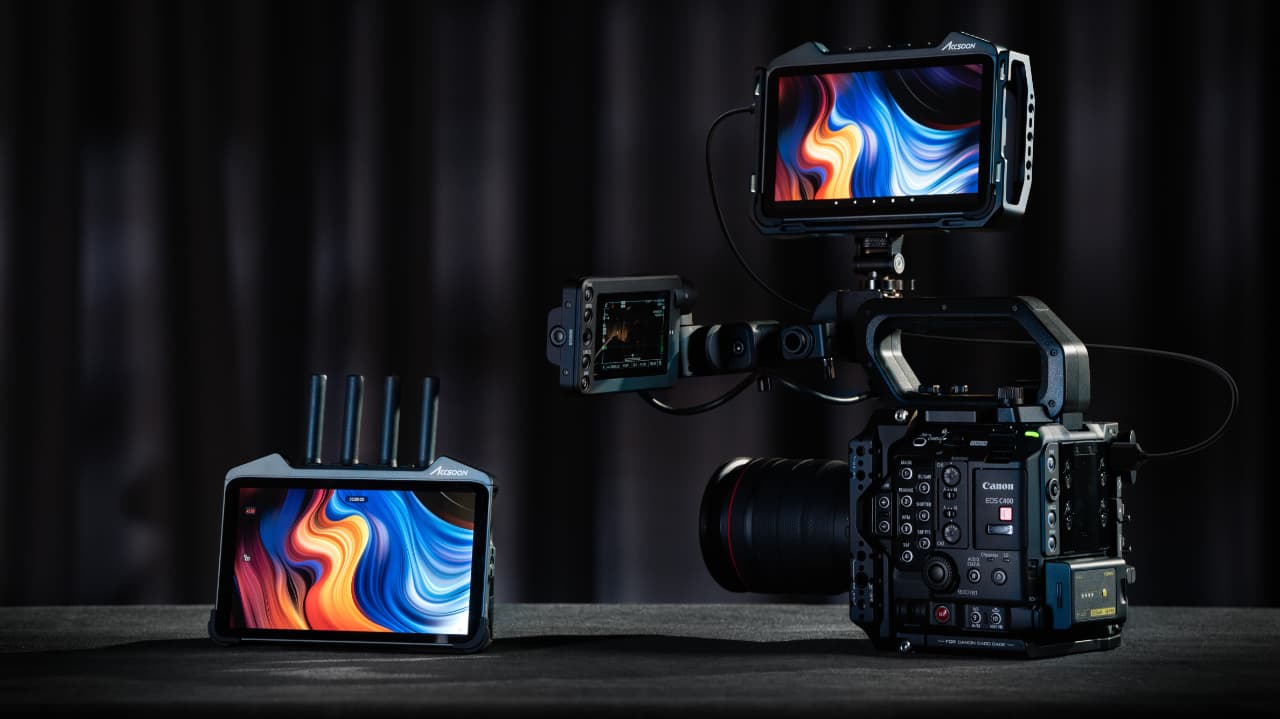
A long list of new features for the well-regarded Accsoon CineView M7 Series monitors debuts courtesy of the latest firmware update.
There is a lot to the latest Accsoon CineView M7 Series firmware update which, as ever, can be downloaded for free from the Accsoon download center. Expanded camera control options now include EI and shutter angle adjustment on compatible Sony cameras, alongside an expansion to Nikon cameras.
There is a new Peaking tool, vertical video functionality, ARRI-style false color, an improved image processing pipeline and a good deal more. Here's the full list.
Accsoon’s Camera Control feature now supports EI and shutter angle adjustment on compatible Sony cameras, including the FX3 and FX30. The system automatically detects when a connected camera switches into shutter angle or EI mode, and the parameter dial on the CineView M7 monitor will update at the same time.
Support has also been expanded to select Nikon cameras. Imaging parameter adjustments are available across all supported Nikon models, but focus control is limited to the Z8 and Z9. Accsoon notes that lower-end Nikon bodies cannot maintain video output while handling external focus control over the PTP protocol.
Models supporting focus control: Z9, Z8
Models not supporting focus control (video output shuts down during focus adjustment): Z5, Z50, Z6, Z6 II, Z7 II
Sony: FX6 (beta), FX3, FX30, A7 IV, A7S III, A9 III, A7C II
Canon: R5, R5 Mark II, R6, R6 Mark II, R7, R8
Nikon: Z5, Z50, Z6, Z6 II, Z7 II, Z8, Z9
 New Peaking Tool
A new focus assistance tool called Peaking has been added to the CineView M7 series. Unlike traditional focus peaking overlays, Peaking enhances contrast around sharp edges directly within the original image rather than applying colored outlines. Accsoon says this makes it easier to identify the focal plane while preserving a cleaner monitoring view.
The new Peaking tool appears alongside the existing focus overlay tool (now labeled Focus), with a dedicated settings page providing strength controls. Default strength is set to 30%, which Accsoon compares to roughly 10–15 on higher-end monitor implementations.
A vertical monitoring interface has been added to the built-in Accsoon SEE app, designed to support vertical shooting workflows. The vertical UI includes separate controls for rotating the input signal (0° or 180°) and rotating the user interface (0°, 90°, 180°, 270°).
Vertical livestreaming is also supported. When vertical UI mode is enabled, the livestream encoder outputs in vertical format according to the current view settings, and rotation controls are locked once streaming begins.
Accsoon has also integrated updated scope rendering for vertical operation, including pixel sampling and rendering adjustments, plus optimizations to ignore black bars caused by anamorphic de-squeeze.
Users can now switch between the legacy false color mode and a newly added ARRI-style false color display. Additional settings allow selection of recording format (LogC3, LogC4 Alexa 35, LogC4 Alexa 265) and EI value for improved monitoring accuracy.
A manual HDMI driver update is required as part of this change.
Accsoon says the CineView M7 signal processing pipeline has been upgraded to retain more color information, delivering smoother tonal transitions, clearer edges, and more natural sensor noise.
A new interlacing pipeline improves image quality when receiving interlaced video sources, reducing aliasing artifacts and smoothing edges compared with previous firmware versions.
Handling of DCI 4K (17:9) inputs has been significantly revised. When receiving a DCI 4K source, the monitor now correctly scales to the 16:9 display with letterboxing, rather than stretching the image horizontally.
Accsoon outlines multiple routing behaviors depending on input/output settings. Have a look at the release notes for the full list.
Accsoon has added a TX Mode self-detection process to prompt users to reinstall the October Update if the dual-band transmission module fails to initialize.
Audio input selection is now disabled when no external microphone is connected, reducing the risk of recording silent audio tracks by mistake.
Additional performance improvements include keyboard handling for Wi-Fi settings and CPU/GPU synchronization under heavy workloads.
This firmware also addresses multiple stability and rendering issues, including:
– Timecode disorder in recorded clips
– Freezing caused by corrupt LUT files
– Color bleed during calibration gamma adjustment
– False color shader highlight errors
– Sharpening conflicts with monitoring tools
– Black dot artifacts under extreme calibration settings
– Incorrect pipeline locking to 1080p60 under certain HDMI output conditions
M7 Pro-specific fixes include text corrections in RX Mode settings, audio decoding stability improvements, and fixes for missing audio after transmitter disconnects.
The download is, as ever, free for M7 and M7 Pro users. The Accsoon M7 and M7 Pro are available worldwide for $799 and $899 respectively.
Tags: Production Accsoon CineView M7 CineView M7 Pro On-set monitoring


RedShark 2020 @ All rights reserved.

Comments