1 minute read

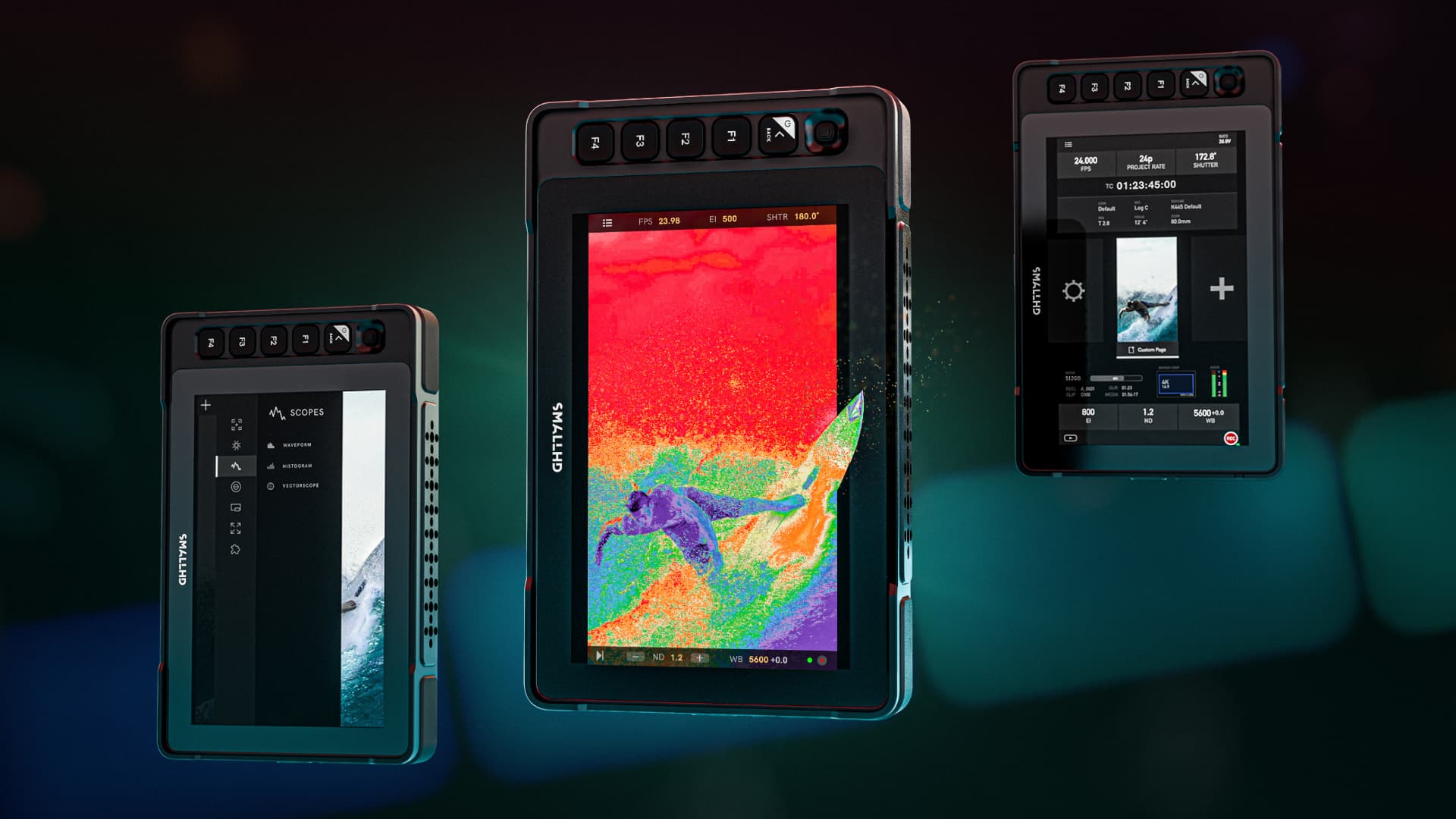
SmallHD has announced a hefty update to its PageOS software, v6.3 introducing Fleet Control support, a new Portrait Mode user interface, Canon camera controls, and more for its popular range of on-camera monitors.
As ever, the latest PageOS 6.3 is a free download from SmallHD. And it's a worthwhile one too as it is designed to reduce setup time and improve consistency when working with multiple monitors and cameras on set, particularly in complex or mixed-format production environments.
“Our customers are working faster than ever, often across multiple cameras, monitors, and formats on the same set,” comments Matt Eidenbock, Product Manager at SmallHD. “This PageOS update is about reducing friction, from managing multiple monitors to supporting vertical content and integrated camera control, so crews can spend less time configuring equipment and more time focusing on the shot.”
Here's everything it introduces.
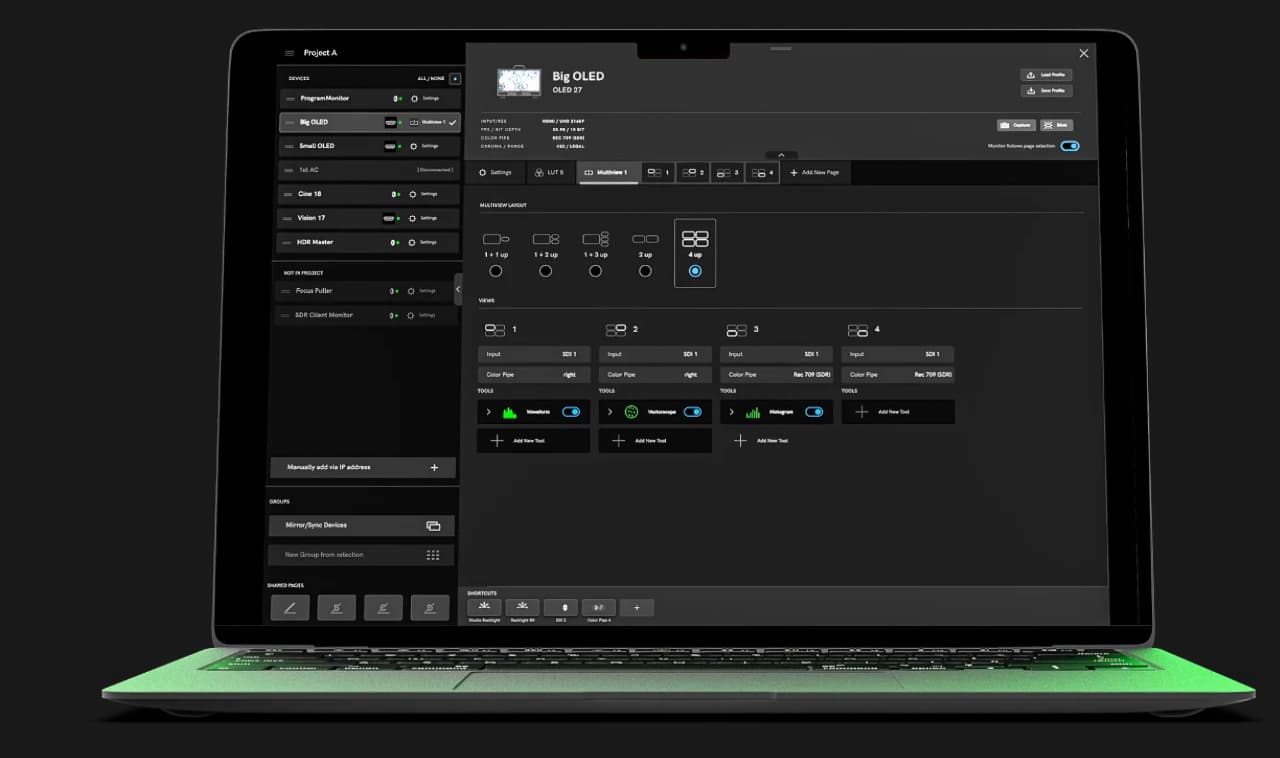 PageOS 6.3 adds compatibility with the Fleet Control desktop application, allowing users to manage multiple monitors simultaneously over a network. Fleet Control enables users to:
• Update firmware and settings across multiple monitors at once
• Push pages, tools, and LUTs to multiple monitors simultaneously
• Organize monitors into groups for faster setup
• Maintain consistent color and configuration across a monitor fleet
Fleet Control is designed to scale from small two-monitor setups to larger multi-monitor deployments and is one of those introductions that unlocks important functionality at the top end of the scale.
More prominent for most users is the new Portrait Mode. This introduces an optimized user interface for vertical video production, with menu layouts redesigned for portrait orientation. This removes the need for landscape-only workarounds when monitoring vertical or mixed-format content.
Canon camera control is now supported within PageOS, allowing users to view images, adjust settings, and access camera menus directly from a SmallHD monitor. Supported models include the Canon C70, C80, C300 Mark III, C400, and C500 Mark II.
On Quantum and Ultra 10 series monitors, users can now assign camera settings directly to the physical control dials. Supported parameters include:
• ISO
• Shutter speed or shutter angle
• White balance
• Internal ND
• Additional camera-specific controls
Downstream LUT support allows graded looks created on a 4K Production Monitor to be shared with other monitors on set, helping ensure visual consistency across video village and crew displays without additional hardware.
Once more, the latest PageOS 6.3 is a free download from SmallHD. And with other more modest improvements and a long list of squashed bugs, it's an essential one.
Tags: Production SmallHD On-set monitoring


RedShark 2020 @ All rights reserved.
Comments