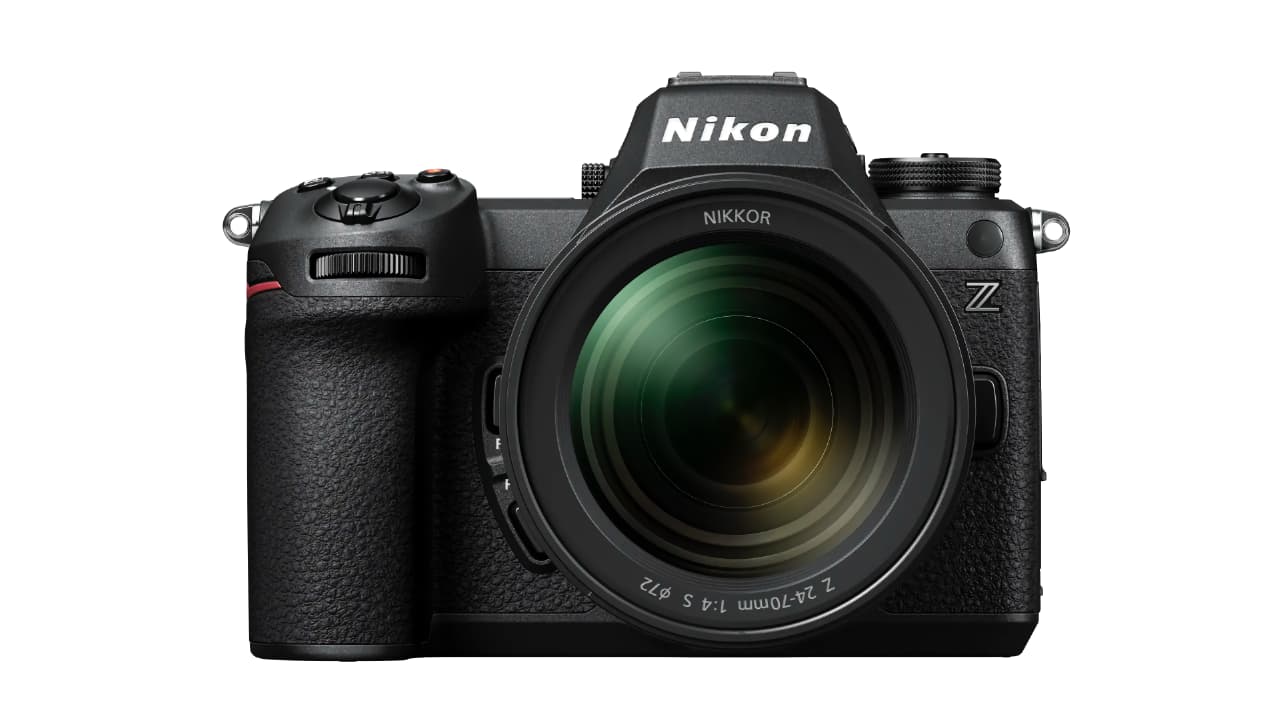
Nikon has released firmware version 2.00 for its Nikon Z6III full-frame mirrorless camera, and added C2PA compatibility, bird detection, and more.
Firmware season is well and truly upon us, and Nikon is the latest with new software to hit its servers. The first major update since the launch of the Z6III introduces several features equivalent to the well-regarded Z6III, including those already found in the flagship Nikon Z9 and Nikon Z8.
Nikon's C2PA Compliance Debut
More on them in a second, but this is now the first camera from the company to feature its Nikon Authenticity Service. The service is compatible with the C2PA (Coalition for Content Provenance and Authenticity) standard, clearly recording provenance information from shooting through to editing to ensure greater transparency and reliability of content.
There are some caveats: registration with Nikon Imaging Cloud and an application for the use of a digital certificate are required, and the company also points out it may not be available in some countries or regions. But it's now nearly three years since Nikon first started talking C2PA in relation to the Z9, and it's still yet to appear on that camera.
[Birds] Mode Added
One of the features that the Z9 does have is [Birds] mode, and it's now been added to Z6III subject detection too. This offers an enhanced shooting experience for stills and videos, as when [Birds] mode is selected, the camera automatically tracks birds in flight with great precision. Nikon says this will keep them in focus even against complex, high-contrast backgrounds such as forests and rocky mountains, and presumably grimy city architecture as well
Auto Capture & More
Firmware version 2.00 also adds the Auto Capture function, enabling automatic shooting under pre-configured conditions.This allows users to specify the subject type, direction of movement, shooting distance range (with NIKKOR Z lenses at least), and even place the camera on a timer. Think leaving the camera outside a badger sett, for instance, or at a sports event.
There's plenty more too. The full list is below and more info, as well as download links, can be found at the Nikon download centre.
Nikon Z6III Firmware 2.0
Note: The changes listed below under “Still Photography”, “Video Recording”, “Playback”, “Controls”, and “Network” are detailed in the Supplementary Firmware Update Manual.
Note: Due to the addition of new menu items, some Custom Settings menu items have been renumbered.
New features include:
■ Still Photography
- • Added [Birds] to [AF/MF subject detection options] in the photo shooting menu.
- • The maximum shooting display zoom ratio is now 400%.
- • Added [Auto capture] to the photo shooting menu. Users can select capture criteria from [Motion] (the direction the subject is moving), [Distance] (how far the subject is from the camera), and [Subject detection] (whether or not a subject of a given type is detected), and the camera will take photographs automatically while it detects subjects that meet the selected criteria. Note that [Distance] is available with NIKKOR Z lenses and may not function as expected when used with other lenses. The [FX (36×24)] and [DX (24×16)] image areas are available with auto capture.
- • Added a [C15] high-speed frame capture + release mode option.
- • The image quality for high-speed frame capture + can now be set separately from other release modes.
- • [Options] has been added under [Focus shift shooting] in the [PHOTO SHOOTING MENU] to allow [Pixel shift shooting] to be used together with focus shift shooting.
- • [Options] has been added under [Pixel shift shooting] in the [PHOTO SHOOTING MENU] to allow [AE bracketing] to be used together with pixel shift shooting. [Starting storage folder] has also been added.
- • [Pixel shift shooting] options can now be set when the self-timer mode is selected.
- • The Profoto A10’s continuous LED light can now be used as an AF-assist illuminator.
Note: The firmware update is needed for Profoto A10. See Profoto’s corporate website for details.
■ Video Recording
■ Playback
- • Added [Loop playback] in the playback “i” menu.
- • Added [Playback speed] in the video playback “i” menu.
- • Added [Record camera orientation] in the playback menu.
- • Added [Auto series playback options] to [Series playback] in the playback menu.
- • Made changes to the [Select for upload to computer] and [Select for upload (FTP)] items in the playback “i” menu and added [Select for priority upload to computer] and [Select for priority upload (FTP)].
- • Added [Date] to [Filtered playback criteria] in playback menu and playback “i” menu.
- • Added [Customize retouch options] to [Retouch] in the playback “i” menu.
- • Added [Auto-rotate during playback] to the playback menu.
■ Controls
- • Added support for the Nikon Authenticity Service.
* The Nikon Authenticity Service enhances content credibility by using provenance information and other data in accordance with the C2PA standards.
* You must register with Nikon Imaging Cloud and apply for use of the service.
* The Nikon Authenticity Service may not be available in some countries and regions.
- • Added [Focus point border width] to a10 [Focus point display] in the [CUSTOM SETTINGS MENU].
- • Added a [Maximum aperture Lv] item to the [CUSTOM SETTINGS MENU] in position of a13.
- • Added a [Focus limiter setting] item to the [CUSTOM SETTINGS MENU] in position of a15.
- • Added a [Minimum] option to Custom Setting c2 [Self-timer] > [Interval between shots] in the [CUSTOM SETTINGS MENU].
- • Added [Half-press to cancel zoom (MF)] item to the [CUSTOM SETTINGS MENU] in positions d19 and g18.
- • Added [Auto capture] to the roles assignable to the “i” menu via [CUSTOM SETTINGS MENU] > f1 and g1 [Customize <i> menu].
- • Added assignable custom controls and roles to the following items in the [CUSTOM SETTINGS MENU]. Also, the options for [Zoom on/off] have changed.
- - f2[Custom controls (shooting)]
- - f3[Custom controls (playback)]
- - g2[Custom controls]
- Choose [Prefer focus point] or [Prefer focus point (face priority)] for f3 [Custom controls (playback)] > [Main command dial] or [Sub-command dial] > [Frame advance zoom position].
The settings for f3 [Custom controls (playback)] > [Main command dial] or [Sub-command dial] > [Frame advance] can now be applied during playback zoom.
- • Added assignable custom controls and roles (for example, [Jump to the source image] and [Trim]) to [CUSTOM SETTINGS MENU] > f3 [Custom controls (playback)].
- • Made changes to the f4 [Touch Fn] > [Move focus point] item in the [CUSTOM SETTINGS MENU].
- • Changes have been made to how a full format is performed with [Format memory card] in the [SETUP MENU].
- • Made updates to [Non-CPU lens data] in the [SETUP MENU].
- • Added [Automatic monitor display switch] to the [SETUP MENU].
■ Network
- • Added [USB streaming (UVC/UAC)] to [USB] in the [NETWORK MENU].
- • A warning now appears when the connection to an ATOMOS AirGlu BT accessory is unstable or disrupted.
- • Changed some messages and the default values related to Nikon Imaging Cloud.
- • A new method for adding Picture Controls from Nikon Imaging Cloud is now available.
- • ATOMOS AirGlu BT accessories and MC-N10 remote grips can now be used together.
- • Made changes and additions to the [Connect to FTP server] item in the [NETWORK MENU].
- • Changed the procedure used when configuring the camera for synchronized release, increasing to twenty the number of groups that can be created, while the number of cameras in each group that can be controlled from the master camera has been increased to sixteen.
- • Added [Group settings] and [Overwrite copyright info] to [Connect to other cameras] in the [NETWORK MENU].
■ Other Changes
- • Changed the specifications for uninterrupted video output to HDMI devices such as external monitors when recording ended.
- • The headphone volume level can now be adjusted in the “i” menu during video recording.
- • Direct measurement of white balance is now available also for still photography via applications, such as NX Tether.
- • Voice memo recording is now available with external microphones.
- • The tonal characteristics have been changed when [ON] is selected for Custom Setting g13 [View assist] in the [CUSTOM SETTINGS MENU].
- • The camera now records company and model names in the video metadata recorded with [ProRes 422 HQ 10-bit (MOV)] selected for [Video file type] in the [VIDEO RECORDING MENU].
- • Added support for “NX Field*”, a remote shooting system for corporate users.
* Visit the “NPS” website for overview and user’s manual of NX Field.
Nikon Professional Services (NPS) (English)
Note: “NX Field” app for smart devices may not be available in some countries and regions.
- • Automatically obtained IP address will be maintained after automatic IP addressing disabled.




Comments