3 minute read

Adobe's Project Indigo app gains an experimental AI Playground for generative photo editing, though availability is limited.
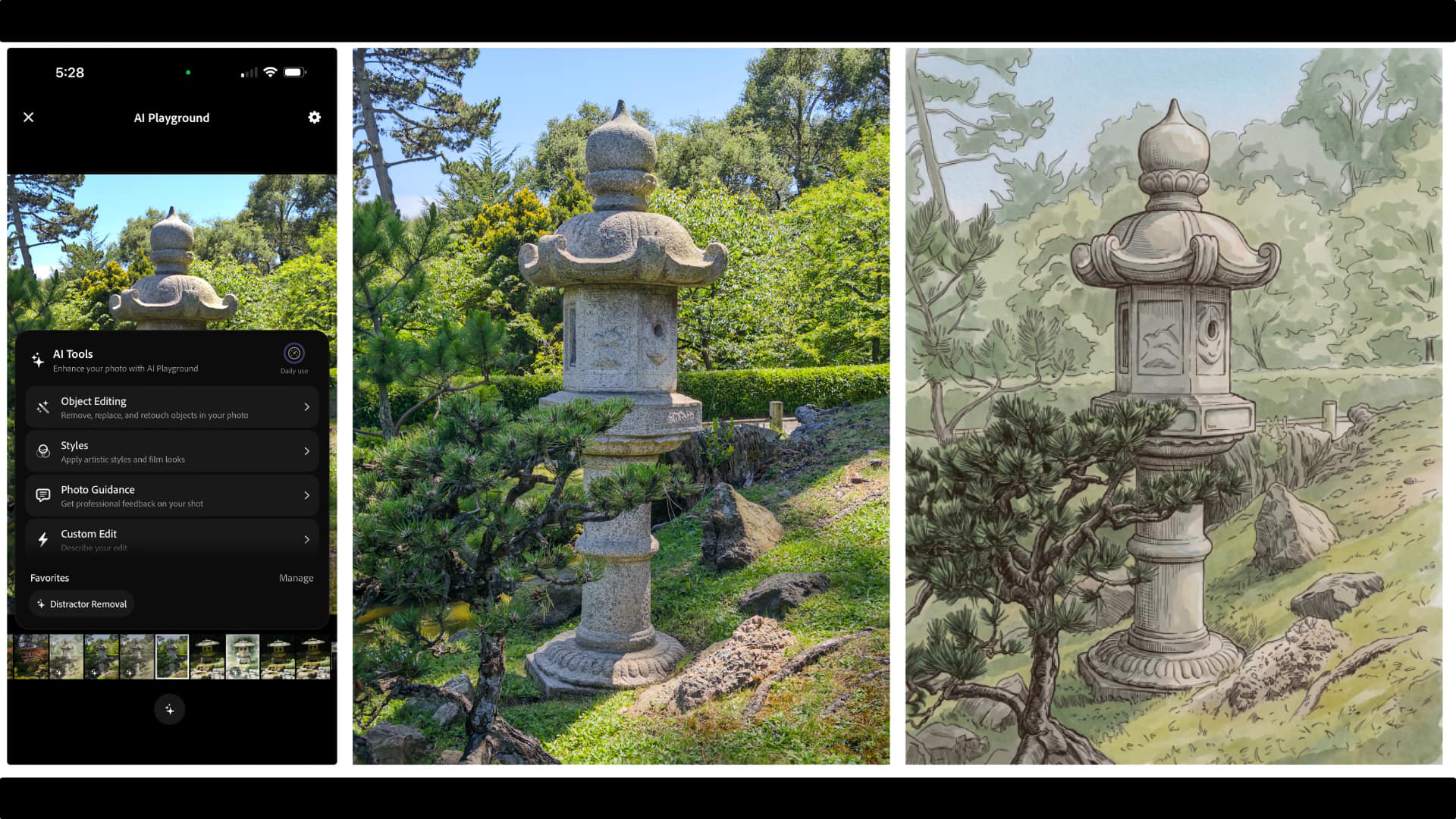
Adobe has added an experimental AI Playground to Project Indigo, the computational photography camera app it launched a year ago. The feature, developed by the Nextcam team, lets users apply various generative editing techniques to photos immediately after capture, without leaving the app.
This is not a general release and even the beta is limited. Free access with no sign-on is being offered to a small percentage of Project Indigo users for a few weeks, as part of an opt-in experiment tracking button presses (not prompts or images). Adobe says it will eventually introduce a paid version if the feature proves popular.
The Playground is organized into four sections, each offering a different set of techniques. Object Editing is possibly the most conventional one, and offers distractor removal, with toggles for categories such as background people, vehicles and clutter. It also adds the option to include custom categories by typing or dictating prompts, as well as a background defocus tool for creating a shallow depth of field.
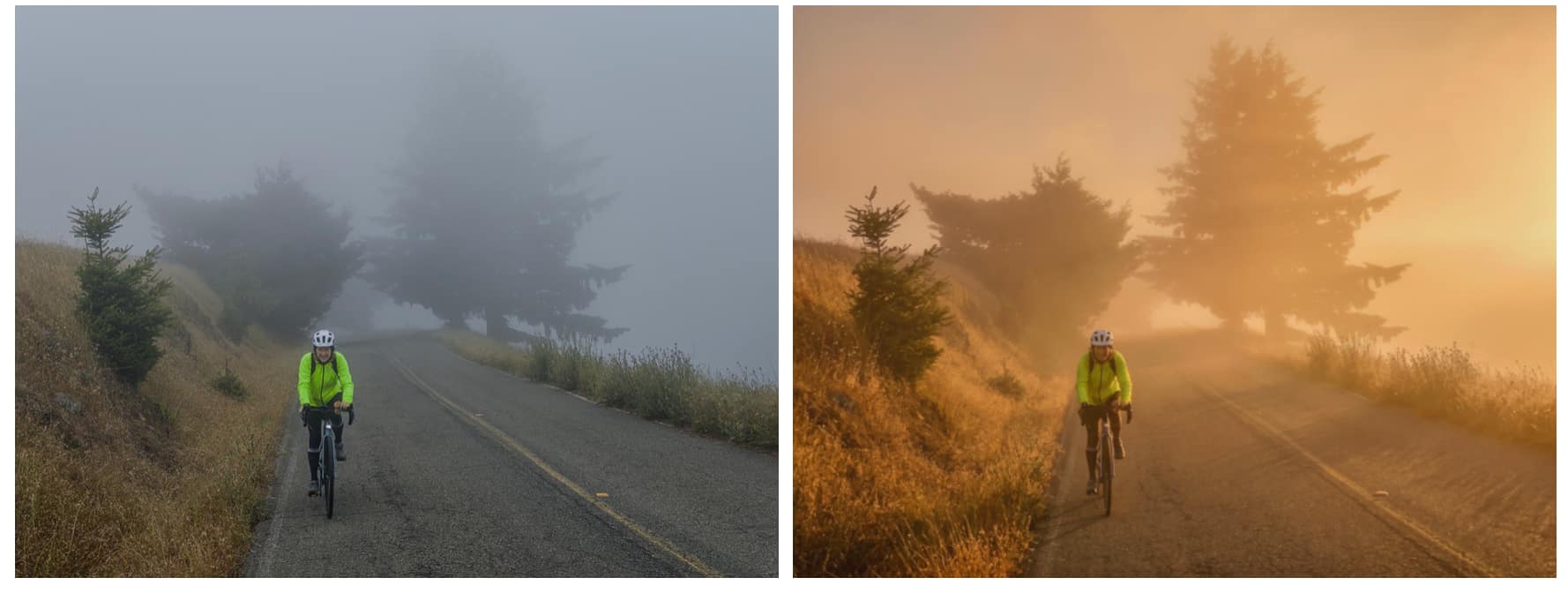 Golden hour lighting is added to this image on the right
Styles is a familiar genAI technique and re-renders photos using different and specific artistic interpretations such as pen and ink, ink line with color wash, and golden hour lighting. Custom Edit is closely related and accepts text or dictated prompt for edits not covered by the preset buttons.
Photo Guidance returns an AI critique of a photo, covering both reshooting suggestions (while the photographer is still at the scene) and editing suggestions if they have already entered the post process. “Producing useful suggestions is harder than you might think,” the development team state, with work needed in offering specific suggestions depending on setups. There is no point, for instance, in suggesting stopping down the lens on a smartphone (at least the current generation of devices, anyway).
One of the most interesting parts about the blog post introducing AI Playground is candid talk about the limitations the team encountered in developing it. For instance, the current model behind the Playground is Google's Nano Banana, which only outputs standard dynamic range images. To compensate, Adobe built a separate ML model that boosts the SDR output back to HDR, using the user's original HDR capture as guidance.
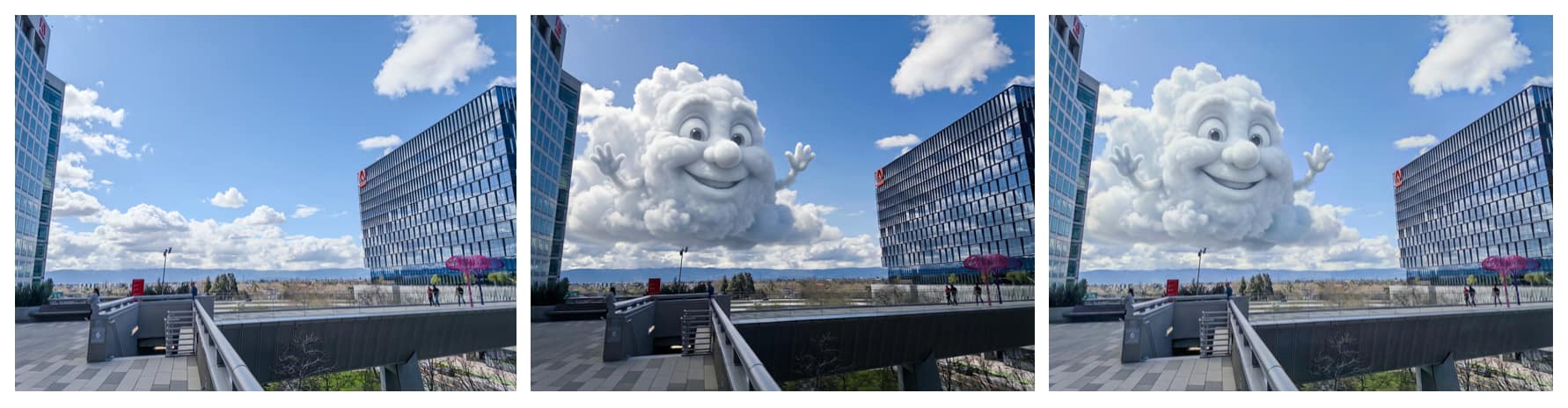 From left to right: HDR captured on Project Indigo, Nano Banana SDR output, HDR re-added via ML
Then there are what the team refers to as “elephants in the generative editing room.” These they list as the fact that genAI models are hard to control, except by changing the prompt and trying again; they may change details of your photographs that you don't want changed, especially facial shape and expressions, necessitating the additional step of including reference photos; and it’s slow and the best models are large. Training smaller models that will run effectively on your own is described as an ongoing process.
There is also the vexed question of ethics. “In the end, whether the edits you apply are ‘fair’ or ‘misleading’ depend on what you do, who you share the images with, and how you present them,” writes Adobe fellow, Marc Levoy. “If I add motion blur to a photograph of me bicycling and send it to my children, they respond with “Cute, Dad.” They enjoy the game, but nobody is fooled. In the end, nothing can be implemented that reduces the importance of behaving responsibly.”
It is worth pointing out here that Adobe is also working with its Content Authenticity Initiative to attach metadata to AI-edited images; Nano Banana additionally applies its own invisible watermark.
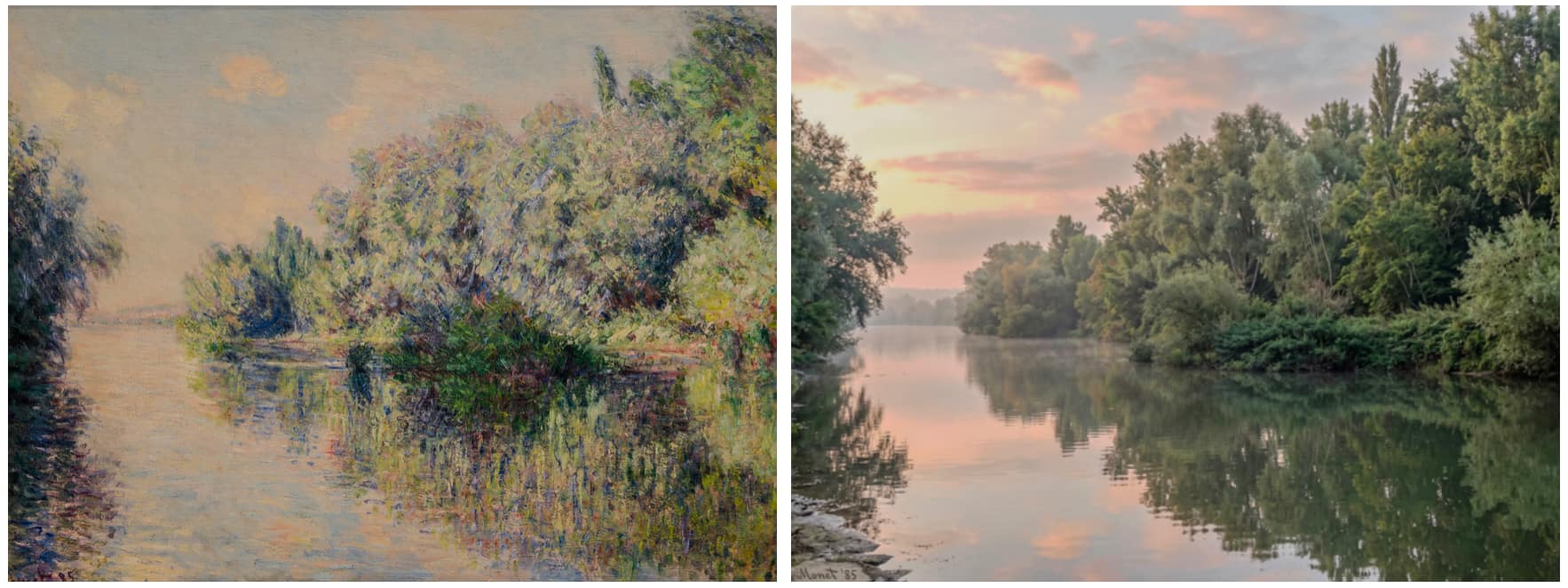 Custom Edit run 'in reverse,' generating a photo from a painting
The AI Playground is accessed via the sparkle button in Indigo's photo review screen, and only works on photos captured within the app. It requires updating to Project Indigo version 1.1.
Because Nano Banana is cloud-based, an internet connection is required, and results are returned at roughly 2k pixels on the long side. Adobe says it may switch models over time or use different models for different buttons, including its own Firefly models, which it says are effective at distractor removal without altering the rest of the image.
The Nextcam team is also developing some exciting non-genAI computational photography features that it plans to launch soon, including image quality improvements in low light.
Tags: Post & VFX Adobe Project Indigo


RedShark 2020 @ All rights reserved.

Comments