
1 minute read
Advertisement
Adobe has released a public beta AI Assisted Editor for Photoshop, paired with a new Markup tool that lets users sketch edits directly onto an image.
Adobe has rolled out a new AI Assisted Editor for Photoshop. Currently in public beta, it’s an optional, simplified editing mode that sits alongside the standard Pro Editor, and bundles Photoshop's generative tools into one prompt-driven interface. Tools include Prompt to Edit, Remove Background, Generative Expand, Remove Tool, Generative Fill, Generative Upscale and the new AI Markup tool.
The latter is the headline new feature for this release. Users draw directly onto an image (arrows, rough shapes, recolour selections), and that sketch can then be combined with a text prompt to tell Photoshop's AI what to change. Adobe's own example shows a roughly sketched cat and wall tiles turned into photorealistic elements.
Markup itself is not gated behind the beta. It ships now as part of the latest Creative Cloud update, and is also included inside the AI Assisted Editor. It could introduce a genuinely quicker way to direct an AI edit than laboriously typing out a description, which could make it worth a look for teams doing fast visual iteration, shot reference tweaks or pre-vis touch-ups without switching applications.
Other new tools for this release include:
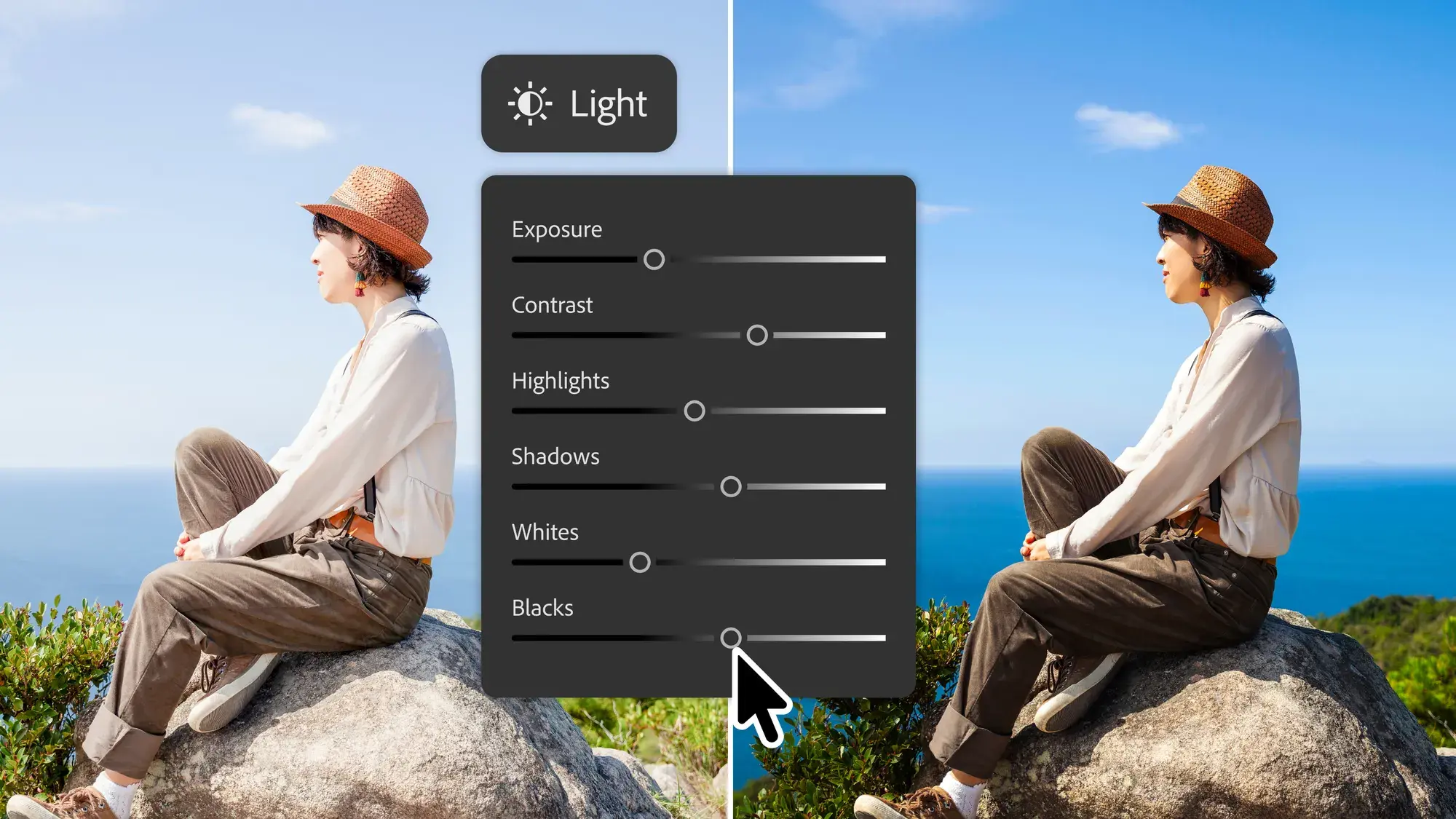
Light Adjustment Layer: a non-destructive layer with Camera Raw-style controls (Exposure, Contrast, Highlights, Shadows, Whites, Blacks), so users can, in Adobe’s words, get "Camera Raw-level results without ever leaving your Photoshop layers workflow."
Instruct Edit with Masks, powered by Firefly Image 5: context-aware editing via text prompts that respects a mask. This ensures edits only apply inside the masked area.
Dynamic Text, Shapes and Paths: extends Photoshop's text formatting tools to custom shapes and paths.
Stock panel integration: direct access to Adobe Stock's 900-million-plus asset library from inside Photoshop.
Prompt to Edit in Pro Editor: added to the Contextual Task Bar as a non-destructive generative layer, for people staying in the standard interface.
Pricing stays the same as before, with single app plans starting at $22.99 a month. Worth pointing out there's currently a 50% sale on Creative Cloud Pro, that gives you the first three months for $34.99 before reverting to its usual $69.99. More info at https://www.adobe.com/creativecloud/plans.
Tags: Post & VFX Adobe Photoshop

Written by Andy Stout
Advertisement
Advertisement
Advertisement
Advertisement
Advertisement
RedShark is a multiplatform online publication for anyone with an interest in moving image technology and craft. With over 50 contributors worldwide, full-time developers, editorial, sales and marketing staff, it is the go-to site for informed opinion and know-how for the quickly changing video, film and content creation industries.

RedShark 2020 @ All rights reserved.

Comments