
2 minute read
Advertisement
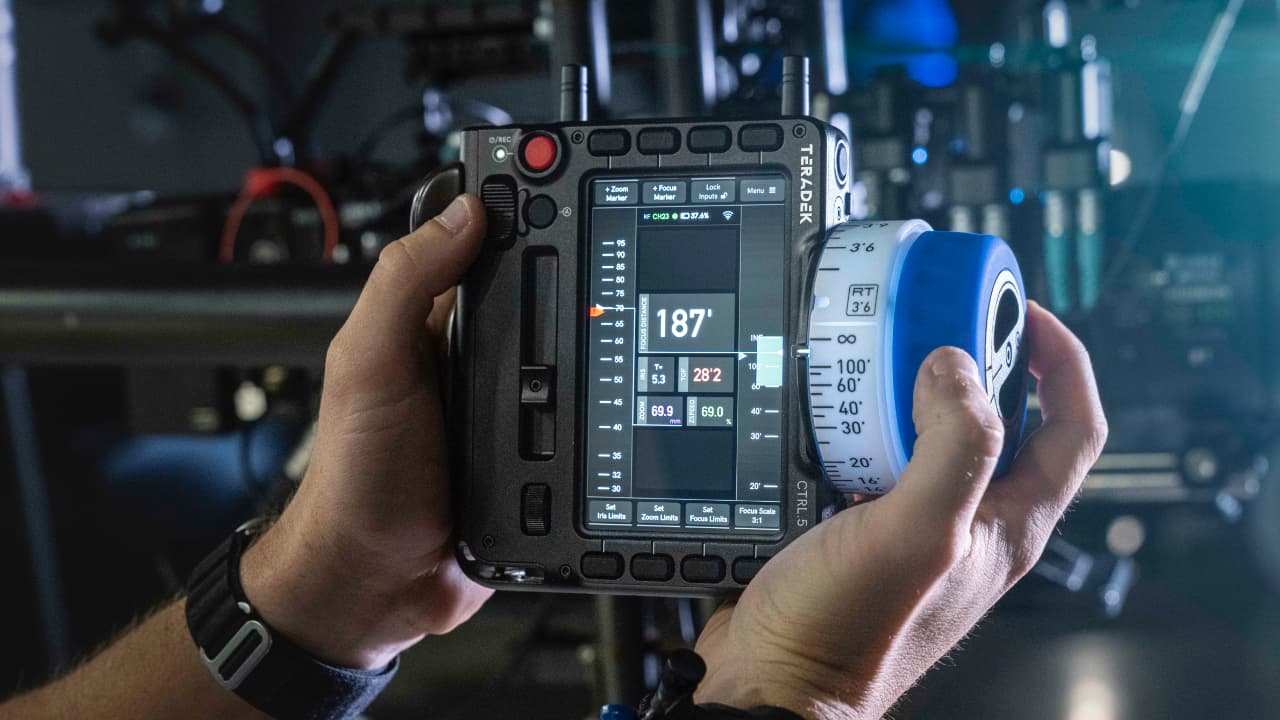
Teradek has just released CTRL.5 Firmware 2.2 for its well-regarded camera control handset, adding expanded camera compatibility, improved connectivity options, and several workflow refinements aimed at on-set use.
The Teradek CTRL.5 wireless camera control system is two years old this year, and it’s good to see the company still pushing its development forward.
The headline addition in the new 2.2 firmware is undoubtedly the addition of a new Sony camera control license. With the update installed, Control 5 can now connect to supported Sony cameras in the same way it already supports RED and ARRI systems. Users gain direct access to core exposure and recording parameters such as ISO, shutter, and frame rate from the handset’s camera control interface. Supported models include the Sony VENICE and VENICE 2, BURANO, and FX6 cameras. As with the other manufacturers, this is all done via a $299 license key purchased direct from Teradek.
Firmware 2.2 also introduces full web-based camera control for RED and Sony VENICE. The Control 5 touchscreen can now display the manufacturer’s complete camera menu, removing the need for a laptop or tablet on set. For RED users, this includes low-latency video streaming within the interface.
Elsewhere, connectivity has been expanded with new Ethernet support, lens map management has also been updated, and there are the usual general stability improvements and performance tweaks intended to enable smooth day-to-day operation you’ll find in any decent software release.
Here’s the full list of features.
Tags: Production Lenses Teradek

Written by RedShark News Staff
Advertisement
Advertisement
Advertisement
Advertisement
Advertisement
RedShark is a multiplatform online publication for anyone with an interest in moving image technology and craft. With over 50 contributors worldwide, full-time developers, editorial, sales and marketing staff, it is the go-to site for informed opinion and know-how for the quickly changing video, film and content creation industries.

RedShark 2020 @ All rights reserved.

Comments