9 minute read

The Osmo 360 was DJI’s first foray into the world of panoramic video. But now there’s a new device on the block that aims to solve the drawbacks of the original camera. Is it worth the upgrade?
360 video is certainly a big thing right now, with a lot of choice out there at different levels of budget. Insta360 is currently the best known company in the field of 360 ‘action’ cameras. But hot on its heels comes DJI with the Osmo 360 II, an update on last year’s camera that aims to fix some of its shortcomings.
That isn’t to say that DJI’s first 360 camera was bad, not by any stretch. But when both its rivals, Insta360 and GoPro, released 360 cameras with replaceable lenses, it was easy to see which choice would give the clearest peace of mind.
So, let’s take a look at what’s been updated, and whether the Osmo 360 II should be on your shopping list for the upcoming Christmas period.
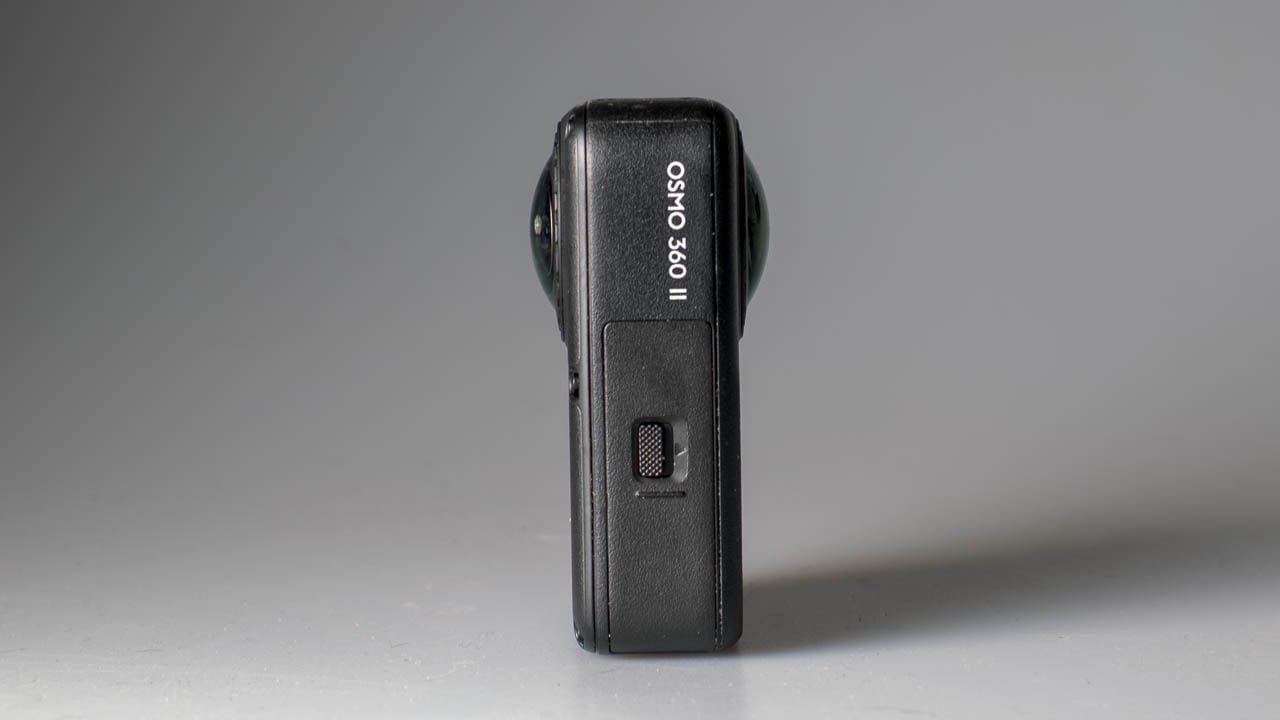
Externally, the Osmo 360 II doesn’t look visually different from the first camera. In fact, the only real giveaway is the logo print on one side of the body. There are some other design variations, such as the microphone cover with integrated wind protection, and what look like small bolts that could possibly make repair easier, but for the most part it looks very similar to the previous camera.
The main change to the external design is the inclusion of replaceable lenses. One of the main vulnerabilities of a 360 camera is the protruding glass, making them susceptible to damage, so including the ability to replace them was a design priority for the DJI team.
The new lenses on the Osmo 360 II are not just replaceable by owners in the field, but they have also been given a boost to their scratch resistance, making them tougher to break or scratch in the first place.
The sensor on the camera is a 1/1.1-inch affair that is capable of recording up to 8K/60 when images from the two lenses are combined. That’s a 10 fps boost over last year’s model. SuperNight mode now also works with 8K/60, allowing for slow motion effects under lower light conditions.
The sensor is square, which means that when the 180-degree circular lens image is projected onto the imaging area, much more of the sensor is used than with a 4:3 chip. This follows on from the Action 6, which also features a square sensor. It's a more efficient use of the battery, since there are fewer redundant pixels being left to draw power without contributing to the image.
If you drop the resolution down to 4K, the camera is now capable of recording up to 240 fps. But that does come with some caveats, which I’ll come to in a bit.
The battery has been boosted in capacity to 2150 mAh, and it is backwards compatible with the older camera, as well as being compatible with DJI's Osmo Action cameras.
There’s a new Spotlight Follow mode, which will lock onto a subject and then automatically pan and tilt to reframe the shot to save manually doing it later. Very useful for vlogging or tracking action subjects.
105 GB of built-in storage also features, alongside the usual SD card slot. It is now possible to record 16K 360 timelapses, and there's a four-mic array built to reduce wind noise.
Those are the headline features, so let’s see how it all works in practice.
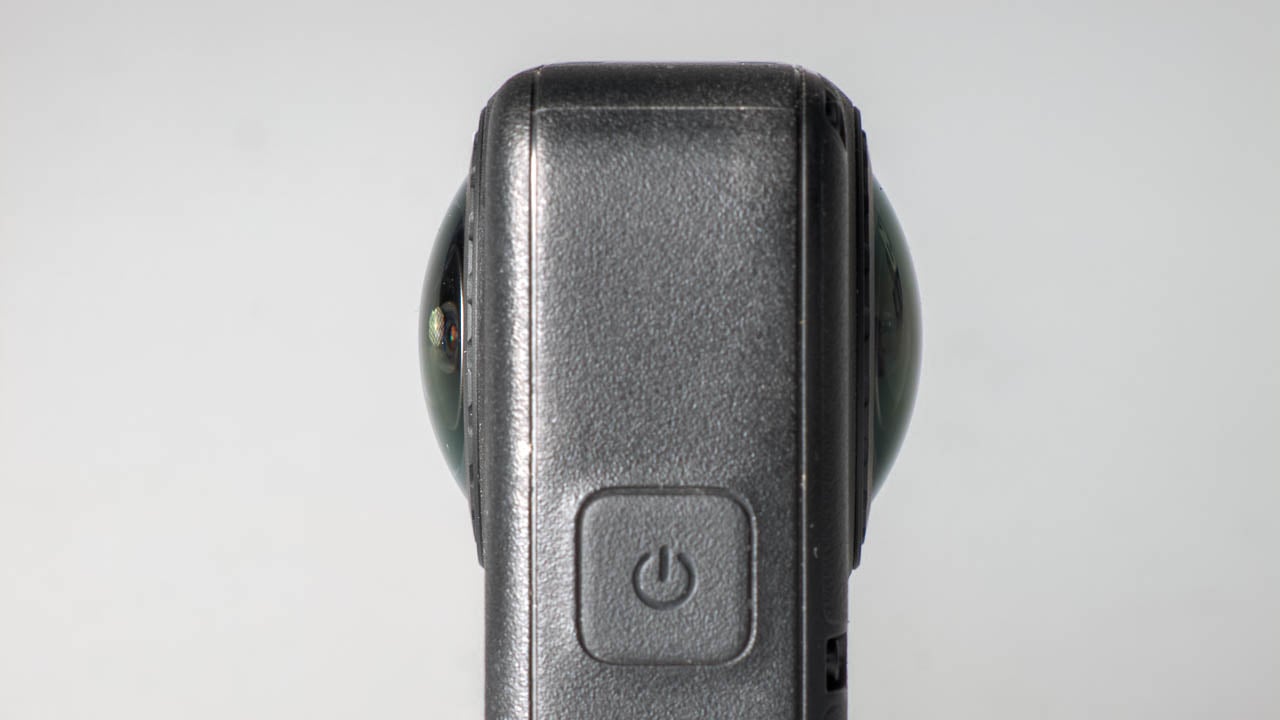
From the perspective of using the Osmo 360 II as an action camera style device, next to the GoPro MAX 2 it's a well formed camera to use on a helmet. It’s not quite as low profile as the MAX 2, but it’s certainly better than the vertical form factor of the Insta360 X6. Although Insta360 has now released a horizontal bracket for the X6, it does have some restrictions, which means that the MAX 2 and Osmo 360 II are the better devices to use for such situations.
For general use the button layout works nicely, but on a helmet the buttons are a little difficult to feel, so I would prefer them to be a bit more identifiable when the camera needs to be operated in such a way. I would also like to see some haptic feedback so that in loud environments I would know what the camera was doing when I can't hear the audio chimes.
All that said, general operation of the camera and interface is very similar to the first Osmo 360, and anyone who is familiar with other DJI devices will be able to find their way around easily.
Reliability has never been an issue with DJI cameras, and it isn’t here either. Battery life on the 360 II is extremely good, while the build quality and well thought out design of the port access doors means that they can’t accidentally be opened in vulnerable environments such as in and around water. The 360 II is rated down to 10 m (33 ft) without a case, and down to 50 m (164 ft) with the addition of a dive housing.
Spotlight Follow mode is a great addition to the camera. The 360 II can also be set to recognize individual people via the Registered Subjects option. Once you go into Spotlight Follow mode the camera will automatically detect the person in shot and then wherever you move the camera they will stay in frame. It’s effectively like having a gimbal camera but without the vulnerability.
The NFC connection also works nicely. Just tap the camera on the NFC point of your phone to open the app and connect to the device in one step.
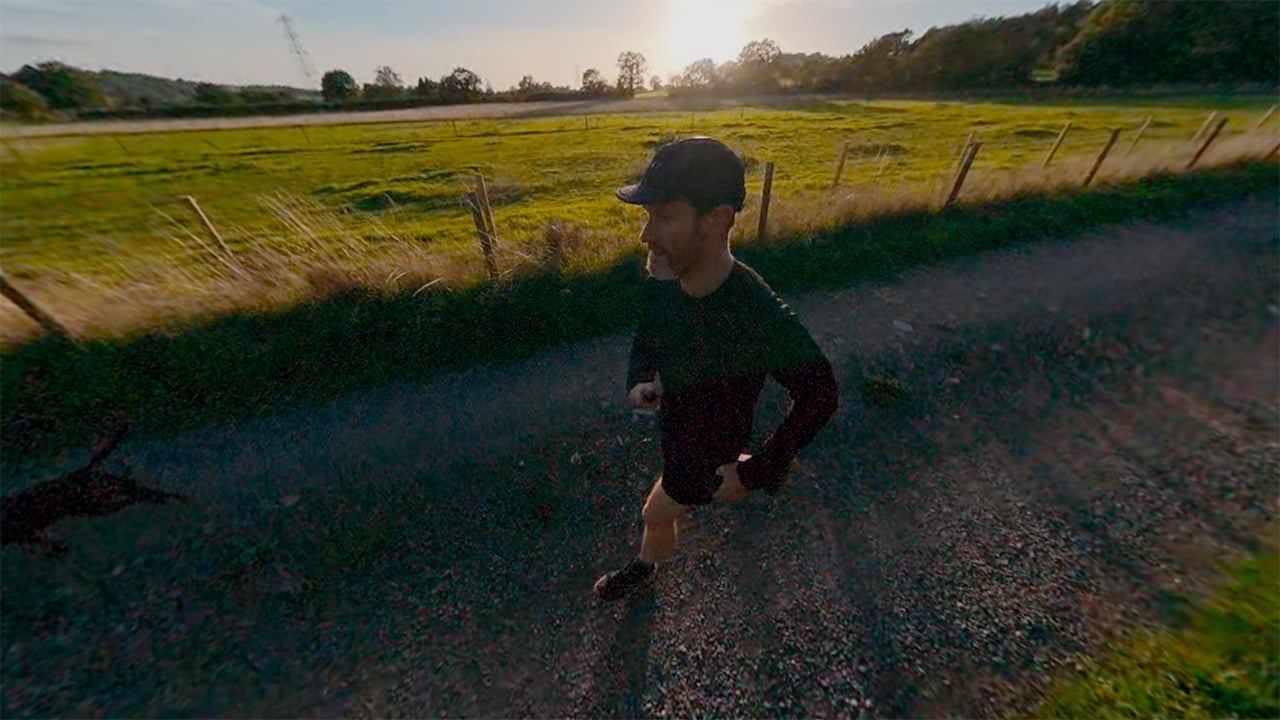
Audio pickup is good. For the best audio it’s always better to use a dedicated mic system such as DJI’s Mic 3, which will directly connect to the camera. But when that isn’t possible, such as in a watersports environment, the audio pickup still works nicely. For example, it picked up my voice well while surfing on a whitewater river wave in a kayak and it didn't seem hugely affected by being waterlogged, indicating good drainage.
When it comes to image setup, there’s the option of using the standard color profile or D-Log M, both in 10-bit color. It’s a shame that full D-Log hasn’t been made available, but D-Log M still gives grading potential. As per all DJI devices, the sharpness (called “Texture” in the menus) and noise reduction can be adjusted to taste.
To reduce the electronic look of images I prefer to dial both the Texture setting and noise reduction to their lowest settings, although there are still some aspects of the image that show artifacting despite reducing them.
One of the most noticeable issues is haloing around objects such as trees against a blue sky in bright light. This has been an issue on most of DJI’s recent cameras, but it’s particularly problematic on the Osmo 360 II. It appears to be a result of the HDR style processing that the camera performs to maximise dynamic range, and it can’t be turned off. It appears whether or not you have Adaptive Tone switched on with the standard color profile or you're using the D-Log M profile.
The only way I have found to reduce its appearance is to dial in a -1 EV exposure compensation when I’m using the camera in bright sunlit conditions. When things become duller or overcast, it’s safe to go back to a 0 EV setting to avoid underexposure.
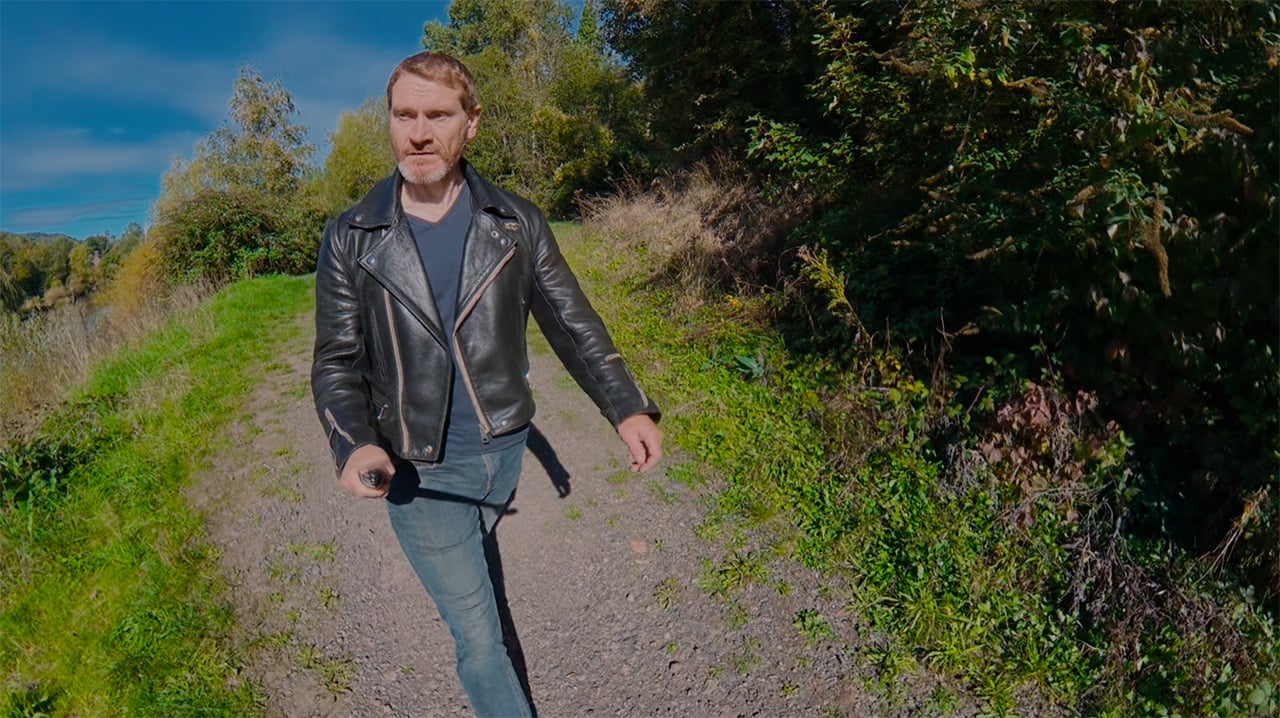

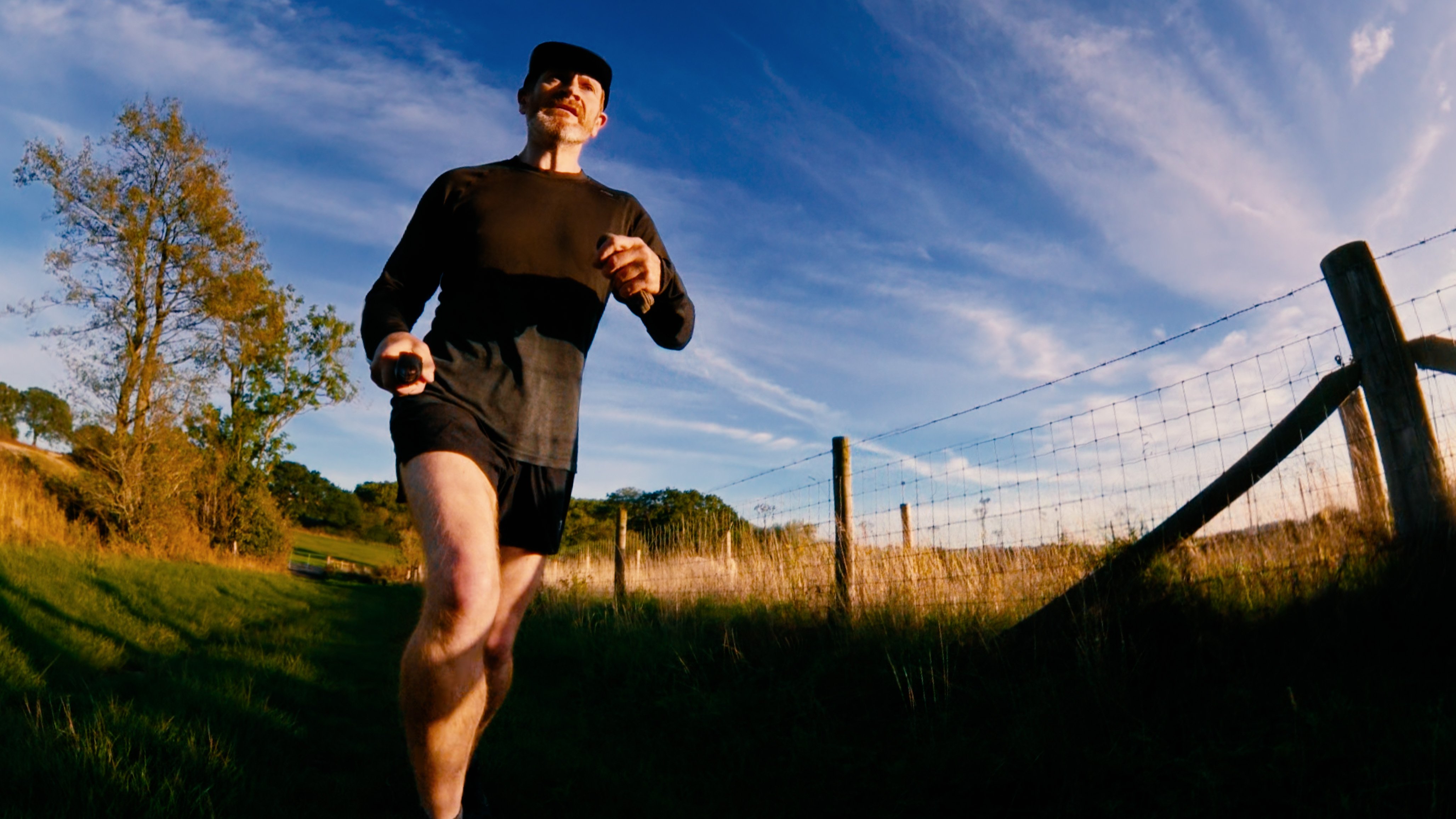
The need to do this could preclude the Osmo 360 II from being an easy-to-use device for beginners or those with less technical knowledge. I’ve been discussing these issues regarding DJI cameras for a while now, and it’s long past time that the problems were addressed. You can see from the still grabs above how noticeable the issue is.
It’s not the only problem I found. At times I have come across a strange warping effect, usually occurring behind foreground objects such as a person viewed from a selfie stick.
It might be tempting to think that it’s a stitching effect. But the problem always occurs well away from any stitch line, so something else is going on. Just as with the haloing issue, it could be something to do with merging frames and some of the built-in AI that a lot of these modern cameras use to help with image processing.
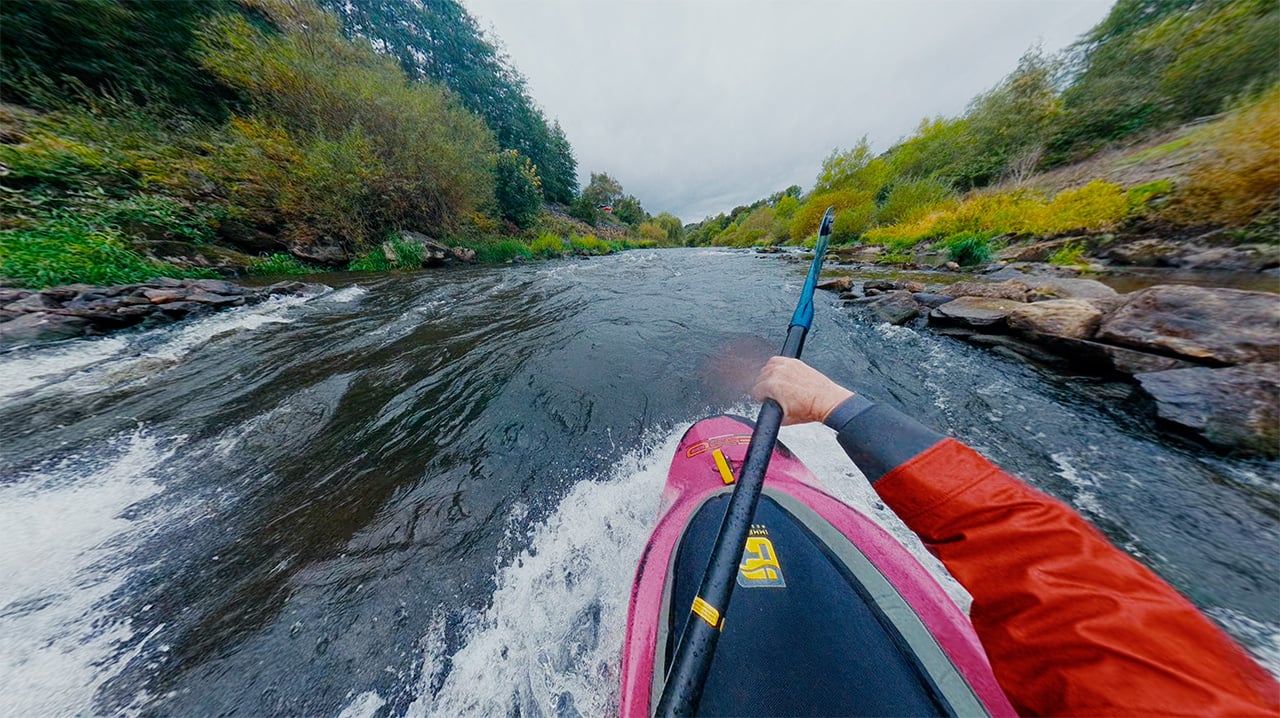
Whatever the reason, it’s an odd and objectionable problem that needs solving. I do have to be fair to DJI, though. I have noticed similar strange issues on other recent cameras from other manufacturers as well. For example on the Insta360 X6, as I’ve used it more, I've spotted funny effects such as the sky appearing to ‘shift’ in the image independently of any camera movement. It doesn’t happen all the time and most people might not notice it. But once you are aware of the potential for the issue, you can’t unsee it.
These problems are clearly a result of the massive amount of processing being performed on the image, but it shows that maybe the technology still has a way to go before it’s perfected.
All that said, if you get the settings right, the image is highly detailed with good dynamic range. Low-light performance is also very good indeed, particularly in the SuperNight mode.
Originally I was excited at the prospect of 240 fps 360 footage. The image does take a resolution hit down to 4K, but I thought it would be worth it.
Unfortunately, the results I have seen so far have been disappointing. Even in good light, the shadow areas of the image are incredibly noisy to the point where I cannot foresee being able to use shots created in this mode practically.
I have tried increasing the noise reduction setting, but the results are similar. I’m at a loss to explain why the image is as noisy as it is. Simply having to boost the ISO to account for the frame rate doesn’t seem to explain the effect fully.
Luckily, 8K/60 isn’t affected in the same way, so it is still possible to achieve slow motion in the camera at a high resolution. But, it is a great shame that the ultrahigh slow-motion frame rates on the Osmo 360 II are so afflicted by noise as to be almost unusable.
Personally, I’m not a fan of editing on mobile apps, so most of my experience of putting together footage from the Osmo 360 II comes from desktop software.
DJI’s Studio software has come a long way from its first version, and most of the kinks appear to have been worked out. My preferred workflow is to use the Studio software to convert the footage to rectilinear format so that I can do my reframing and keyframing directly within Resolve.
I have previously used GoPro’s reframe plugin for Resolve, but that needs to be used within Fusion for proper operation. Handily, DJI has now produced its own Resolve plugin that can be used directly from the Effects tab and simply dragged onto the clip. Because it doesn’t need Fusion, it’s less processor-intensive and works slightly more smoothly than the GoPro plugin. It will also work with 360 footage from other cameras too, since all it needs is the footage in rectilinear format.
If you’re creating POV footage, you will need to make sure you export from DJI Studio with the Direction Lock option for the clip turned on. This will ensure that the view moves with your head. Unlike Insta360’s software, there’s no option to restore the natural movement. This is an option I like about using the X6, because it allows POV footage to move much more naturally with head movement and restores some of the micro-movements. It’s not a deal-breaker, but it would be something I’d like to see implemented in a future DJI Studio update.
Having said all that, the need to go into separate software to export in rectilinear format for editing is still an added editing step that really shouldn’t be required in 2026. I will celebrate the day when Resolve can handle the 360 files from these cameras natively. There’s not really any excuse anymore, given the prevalence of 360 devices now.
360 cameras have become noticeably better in recent years. We are now at a point where the reframed footage is approaching that of traditional non-360 action cameras. But the question for a lot of potential purchasers is whether they should get a 360 camera rather than a normal action camera, and whether the Osmo 360 II is a better option than the competition.
In terms of ecosystem, if you already own other DJI cameras, then the Osmo 360 II will slot in very well. It’ll have matching imagery and a familiar interface.
For other types of user, I would always recommend a traditional camera as a main go-to device before you invest in a 360 model. The need to do extra processing and editing with 360 footage means that I still regard them as specialist-use devices rather than something you reach for on an everyday basis.
But if 360 is the way you want to go, all of the current 360 models on the market right now have their quirks. If you want to use the camera on a helmet for POV and other adventure use, then the Osmo 360 II and Max 2 would be a slightly better fit than the X6.
However, if you need low-light performance and battery life, then the decision will come down to a choice between the Osmo 360 II and the Insta360 X6. The Osmo is certainly a powerful contender, and if you bear in mind what I said about the EV setting, it can produce some great images.
Compared to the Insta360 X6, the Osmo 360 II has double the onboard storage and is £110 less expensive at £509 ($571) compared to £619 for the X6. There are other advantages too. The X6 doesn’t allow the use of log recording in its single-lens modes, whereas the Osmo 360 II does. Both cameras do, for some reason, omit the option for 24p in single-lens modes, a design decision that continues to baffle me!
In conclusion, while the Osmo 360 II does have its flaws, it is still a very capable camera that continues to improve upon the 360 devices that came before it. It will fit perfectly within an existing DJI camera ecosystem, and it is also very reasonably priced versus the competition. Just don’t use the slow motion.
Tags: Review Action cameras 360 cameras DJI


RedShark 2020 @ All rights reserved.
Comments