1 minute read

Adobe's ChatGPT plugin gains interactive editors for images, designs, and PDFs. Users can brush a selection, tweak sliders, and edit PDF text from side panels in the ChatGPT window.
Following last week’s addition of tools into Google Gemini and expansion of Claude capabilities, Adobe has now added interactive editing experiences to the Adobe plugin in ChatGPT. Announced alongside OpenAI's DevDay 2026 unveils, the new capabilities cover images, designs, and PDFs, and appear in side panels in the ChatGPT chat window.
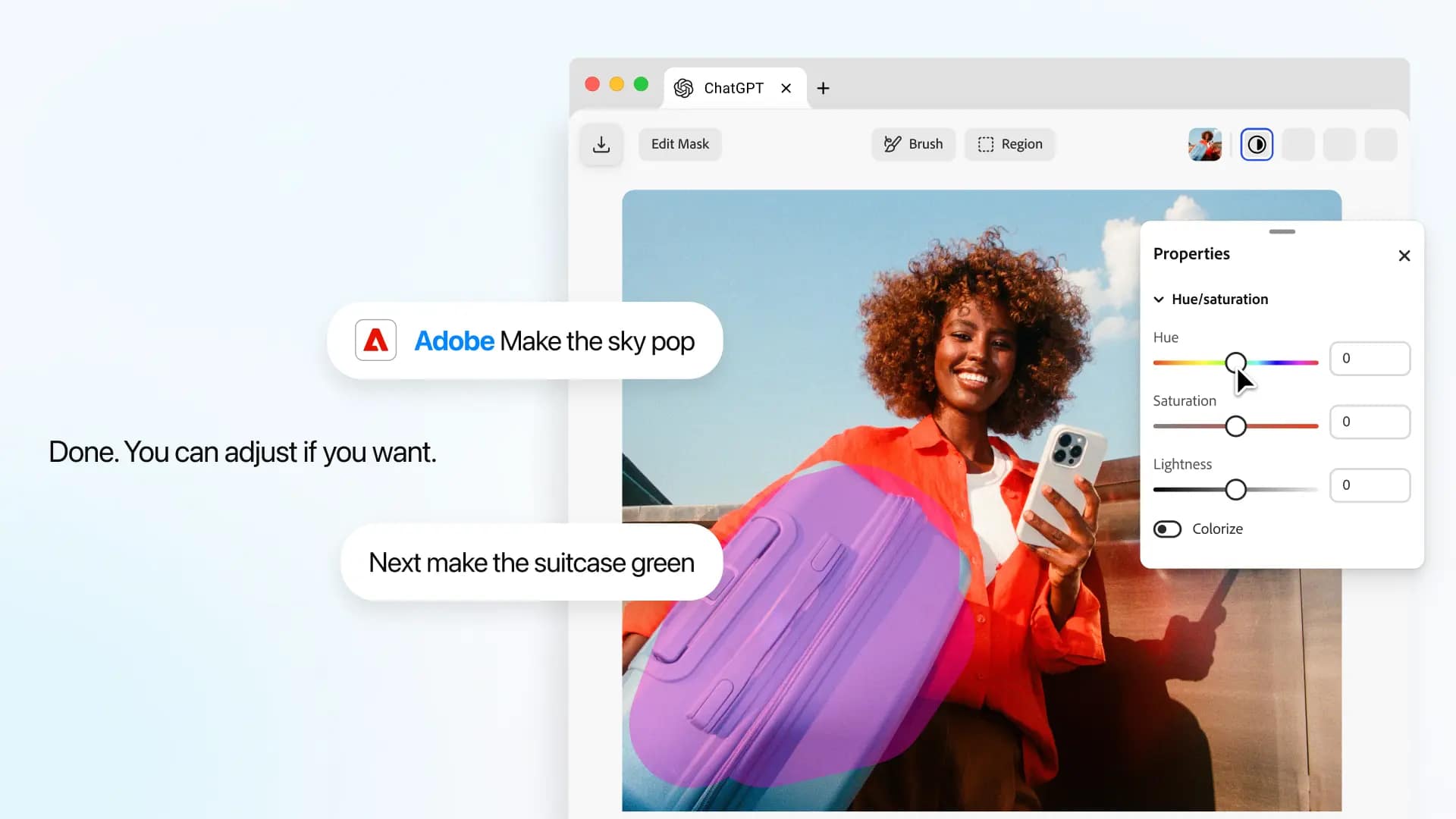
The image and design editors are powered by Photoshop and Adobe Express. Users can select part of an image in the interactive editor, ask ChatGPT to use the Adobe plugin to make changes, then fine-tune the result with new controls. They can pick out objects or brush over areas, then adjust hue, saturation, contrast, and more with sliders.
One useful UI feature is that the editor surfaces controls based on the type of edit; asking for an object's color to change brings up color controls scoped to that selection, and so on. Edits stay in context as users move between the editor and the conversation, without re-explaining the work or re-uploading the content.
Adobe’s Deepti Pradeep illustrates in a blog post how this all works. “Say you're capturing a lifestyle photo of a latte on a coffee table for a social post, and there's a stray napkin in the shot. Open the image in the side panel, select it with the brush tool, and request a focused change — ‘remove the napkin from the table.’ Once the napkin is removed, you can continue refining the same image. To make the latte pop more, focus on the cup again with the brush tool and ask ChatGPT to use the Adobe plugin to adjust its brightness and contrast. Adobe dynamically surfaces sliders for both, so you can fine-tune the image to get the look you're going for.”
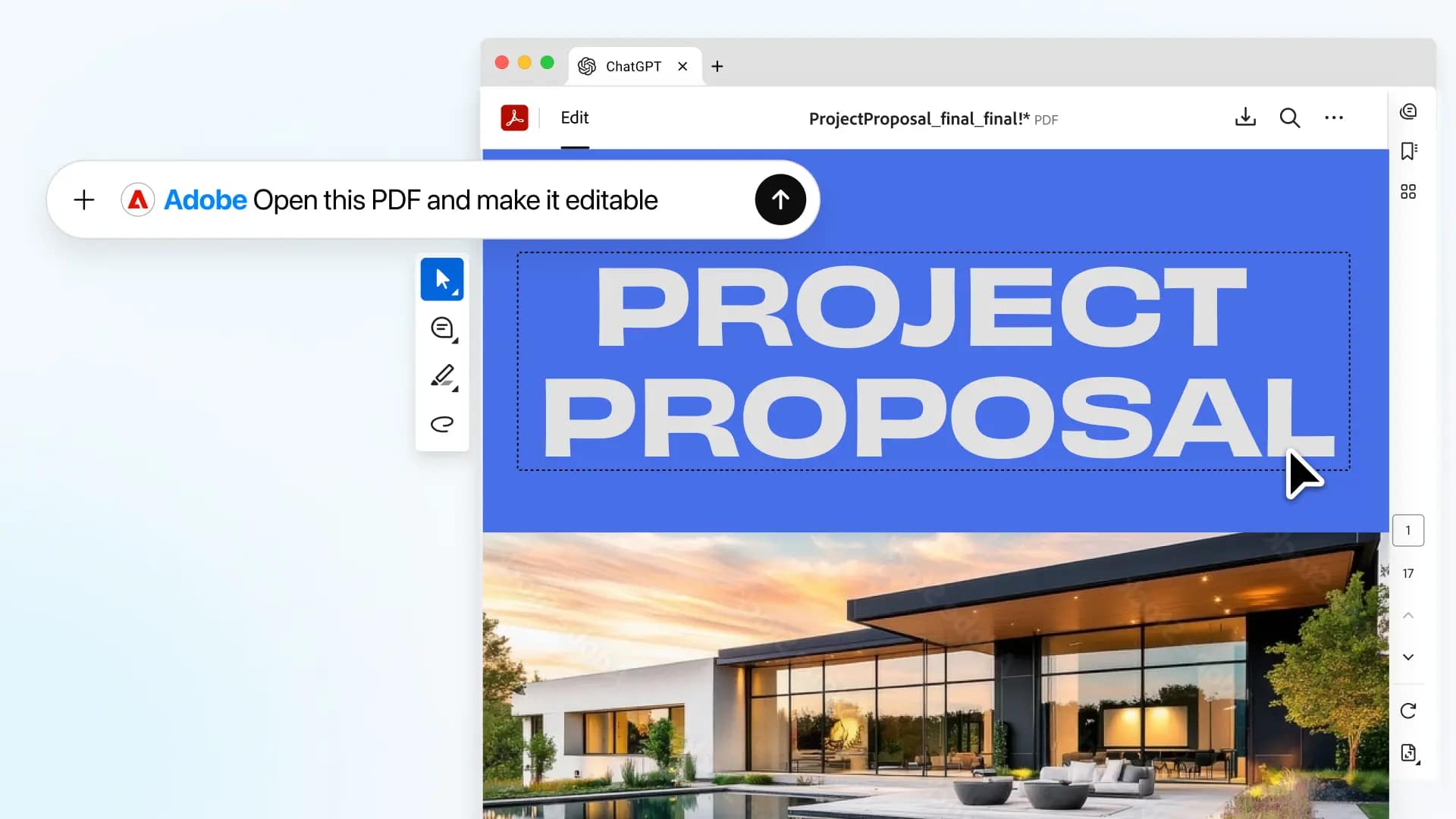 PDFs, meanwhile, open in a side panel using Acrobat tools. Users can revise text or highlight passages in place, then send that document context back to ChatGPT to continue the task.
In one example that will hit home with plenty of people, a user highlights a paragraph about payment terms in a freelance contract and asks ChatGPT to use the Adobe plugin to highlight other sections about payments or invoicing.
Adobe recently unified its creative and productivity tools in a single plugin across ChatGPT, Claude, and Slack. These updates are already rolling out globally on ChatGPT web and app.
Tags: Post & VFX Adobe


RedShark 2020 @ All rights reserved.

Comments