
2 minute read
Advertisement
Premiere on iPhone will launch as a free app, promising an uncluttered experience with with many of the tools from the desktop version present and payments only required for generative credits or cloud storage.
There are a couple of things that really stand out about the new Premiere on iPhone app. First is the potential to upend the current mobile editing market on the device. We’re going to have to play with it a bit to see how it differentiates itself from Adobe Premiere Rush, but to date the big desktop NLEs such as Final Cut Pro and DaVinci Resolve have stopped at the iPad. Adobe has yet to release an iPad version of Premiere Pro, and here it is leapfrogging it and going straight to the iPhone.
The second is the business model. Adobe Premiere Rush is part of the Creative Cloud family of products and therefore available for a standard monthly price or as part of an all apps bundle. However, Premiere on iPhone is going to be free. Well, freemium to be precise, as users have to pay for both generative credits and cloud storage. This is definitely breaking some new ground for the company, and acknowledges the central role it sees genAI playing in the future of editing.
Beyond that, though, the company promises a fast, free, and uncluttered experience with no pop-ups or paywalls.
The app has only just been announced and details are still coming in, but this is what we know so far.
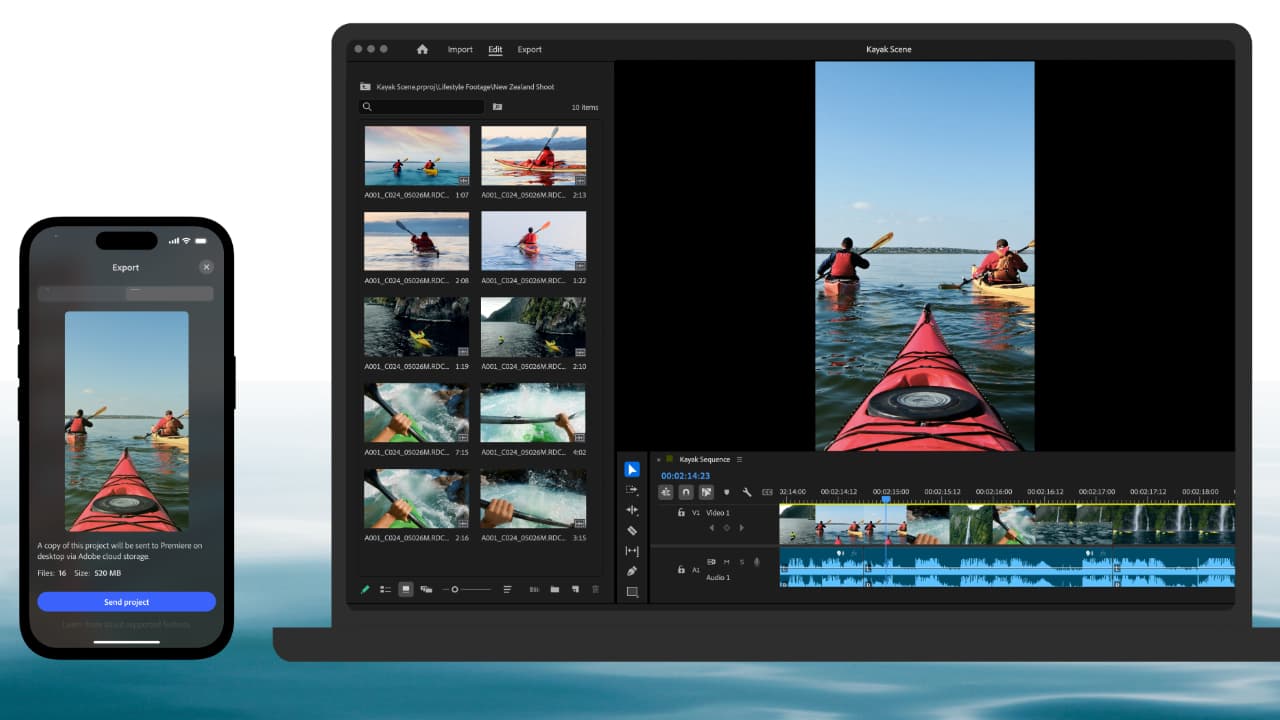
Adobe says that if you are familiar with Premiere’s desktop experience, then you’ll recognize many elements of that in the iPhone version. That means the color-coded multi-track timeline and dynamic audio waveforms, as well as the freedom to trim, layer, and fine-tune with frame-accurate precision. All this has been reengineered for mobile. You also get automatic captions with stylized subtitles; unlimited video, audio, and text layers; support for 4K HDR; and more.
You can export instantly to TikTok, YouTube Shorts, or Instagram with one tap, the software automatically resizing your video for each platform. Or you can send projects to Premiere Pro on the desktop for precision editing and finishing.
It comes chock full of assets in the shape of ‘millions’ of stickers, images, fonts, and music. “Or, create your own with Adobe Firefly built in,” says the company. “Explore ideas and generate one-of-a-kind video content – with generative AI that respects creators' ownership.”
Quite how many of the recent Adobe Firefly tools are in there is unknown just at the moment, but it does feature Image to Video, the recent ability to generate sound effects using your own voice as a guide vocal. You can also record studio-quality voiceovers with Enhance Speech working on the audio even in noisy environments.
Premiere on iPhone is coming this fall, first on the iPhone with an Android version to follow. As already mentioned, it’s free and can be pre-ordered through the Apple App Store as of now.
Tags: Post & VFX Featured Mobile editing Adobe Premiere Pro Adobe Premiere on iPhone

Written by Andy Stout
Advertisement
Advertisement
Advertisement
Advertisement
Advertisement
RedShark is a multiplatform online publication for anyone with an interest in moving image technology and craft. With over 50 contributors worldwide, full-time developers, editorial, sales and marketing staff, it is the go-to site for informed opinion and know-how for the quickly changing video, film and content creation industries.

RedShark 2020 @ All rights reserved.

Comments